Opening Adjacency Lab…

Adjacency Lab is taking longer than expected to open.

Check your connection and try again, or get help.

Spatial planning tools that stay in sync

Four canvases over one project. Everything below is on the page itself, with the pictures.

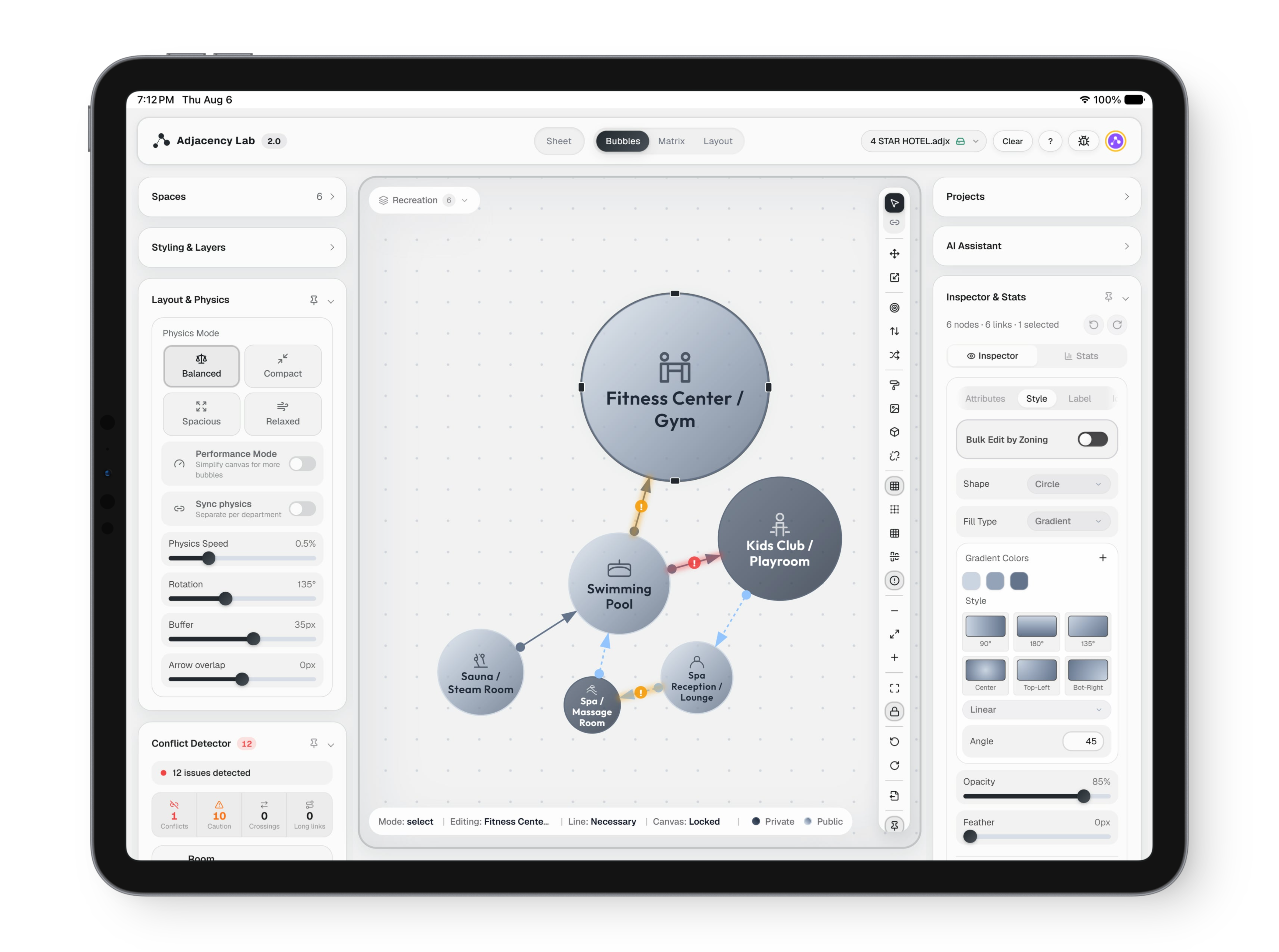
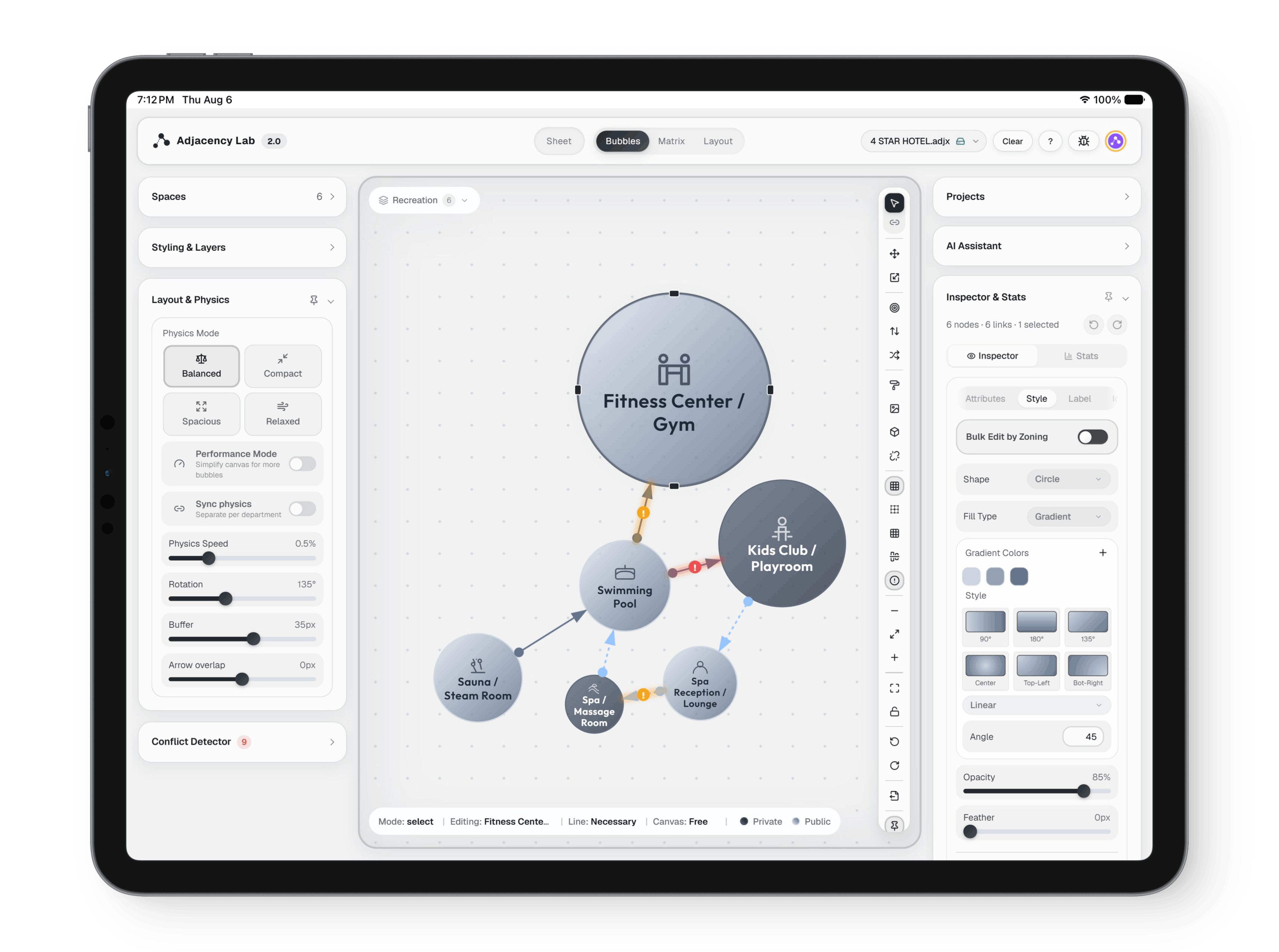
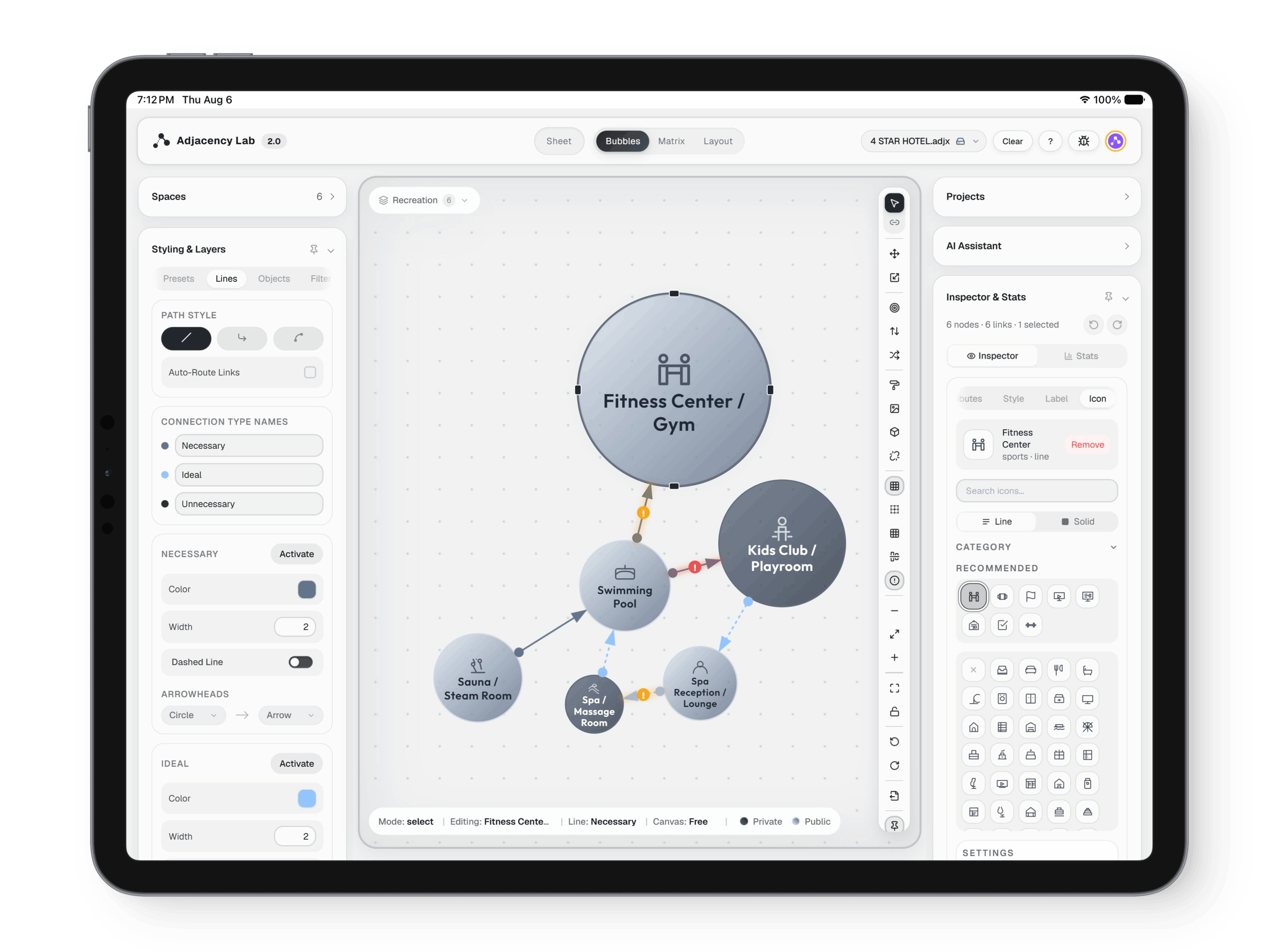
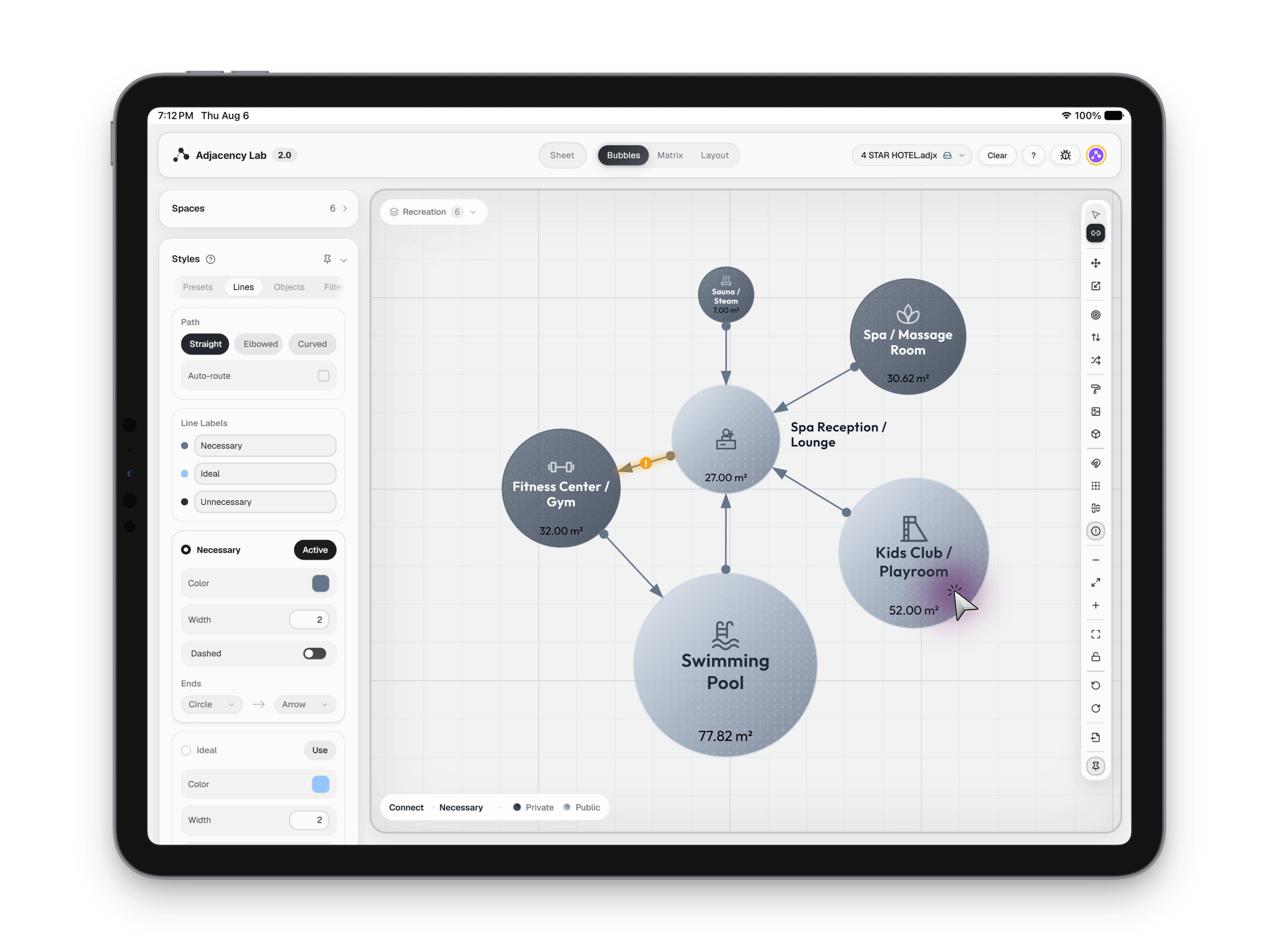
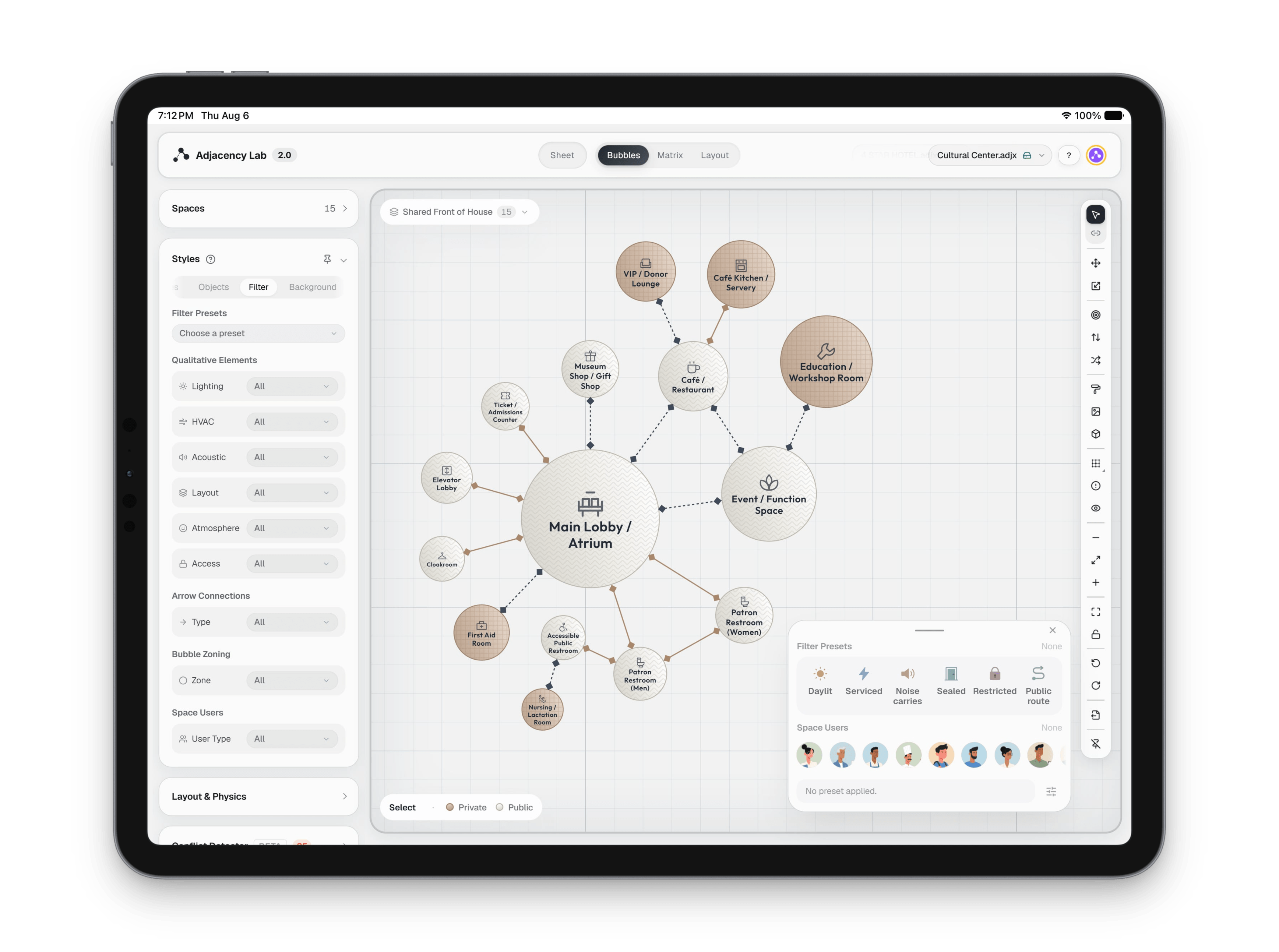
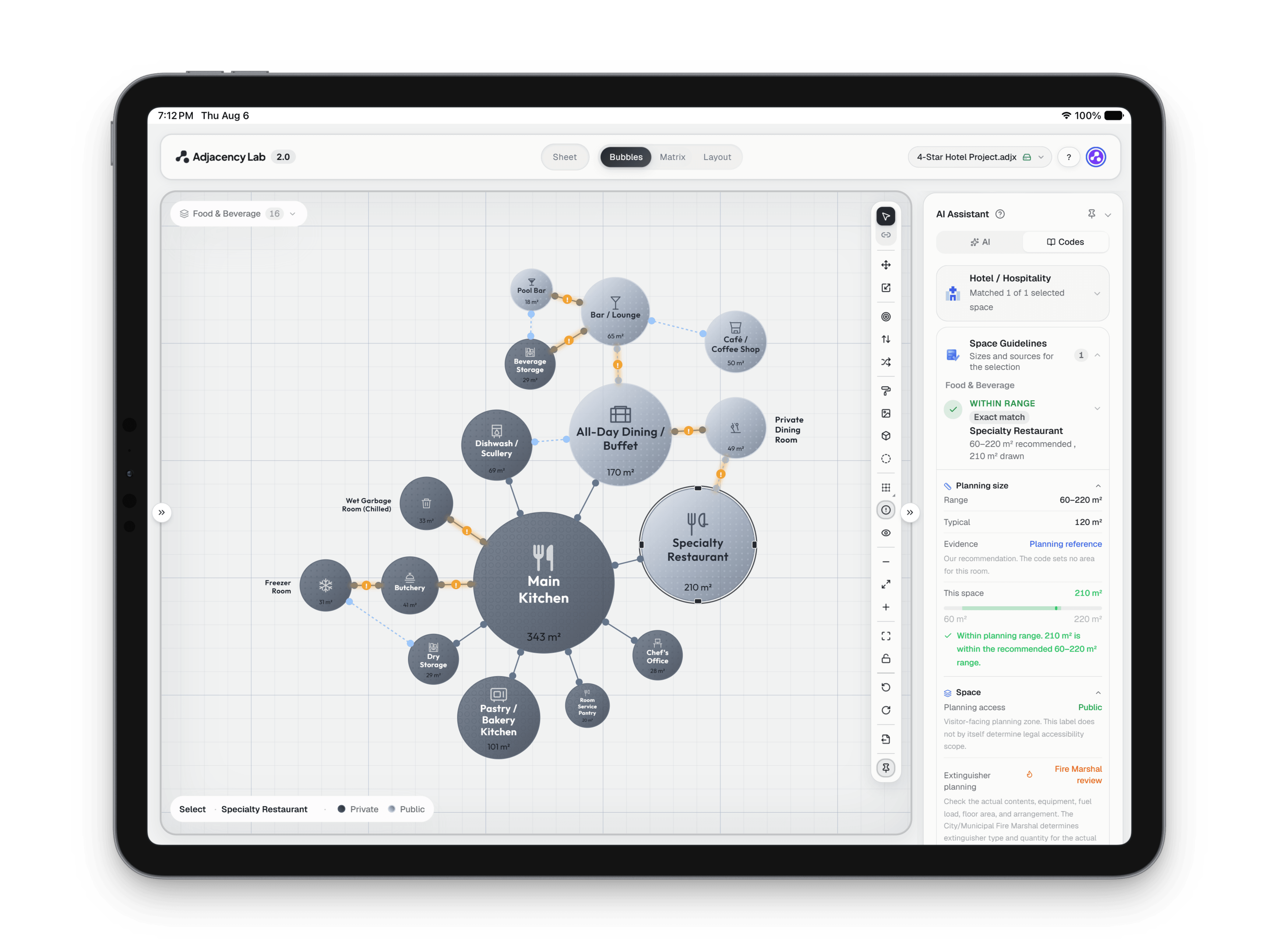
The bubble canvas, with spaces drawn as circles sized by their area and joined by adjacency links
Adjacency Lab Bubble: Spaces you can push around.
The bubble canvas, with spaces drawn as circles sized by their area and joined by adjacency links
Adjacency Lab Bubble: Spaces you can push around. (1 of 5)
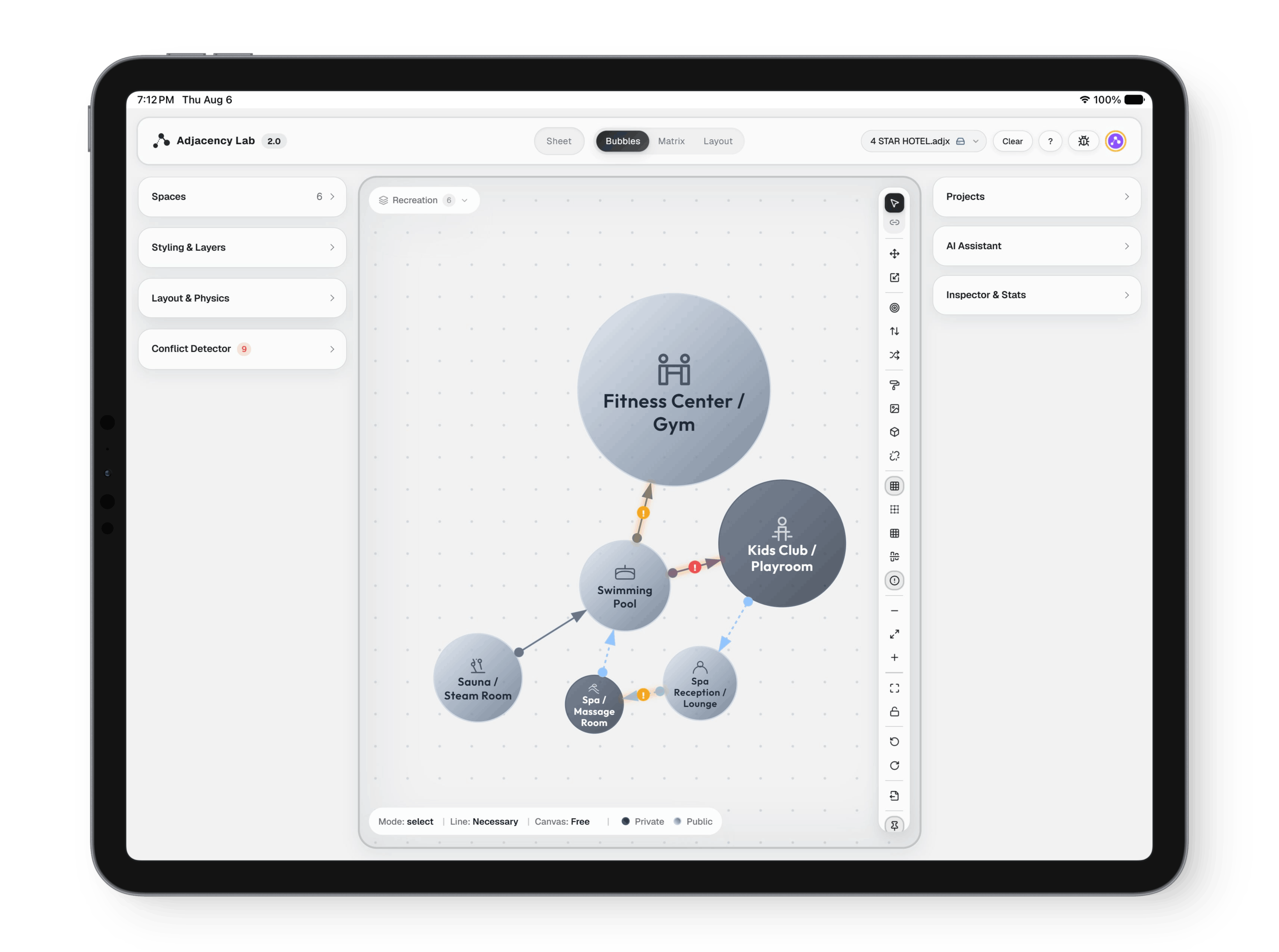
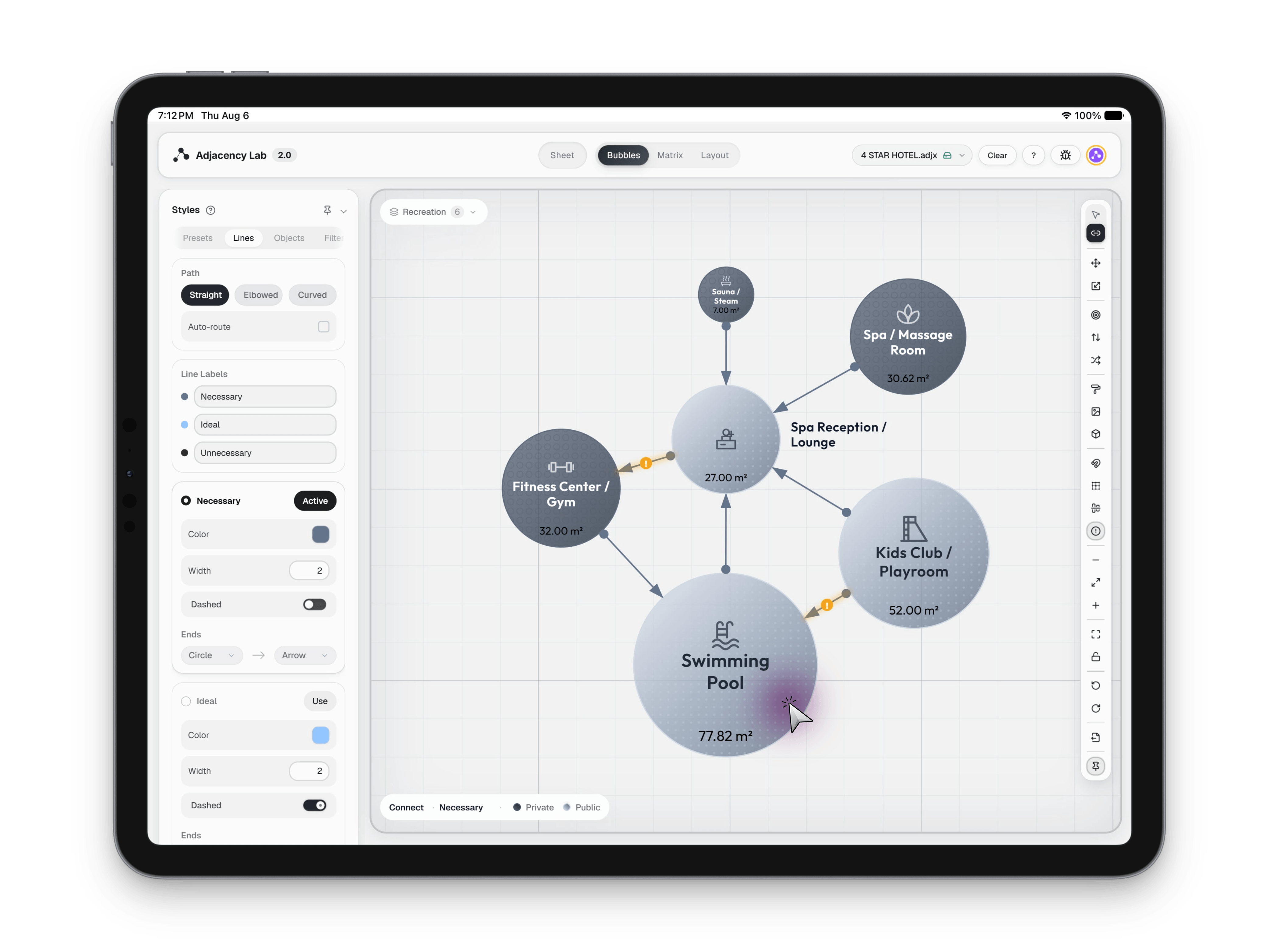
The bubble canvas, with spaces drawn as circles sized by their area and joined by adjacency links
Adjacency Lab Bubble: Spaces you can push around. (2 of 5)
The bubble canvas, with spaces drawn as circles sized by their area and joined by adjacency links
Adjacency Lab Bubble: Spaces you can push around. (3 of 5)
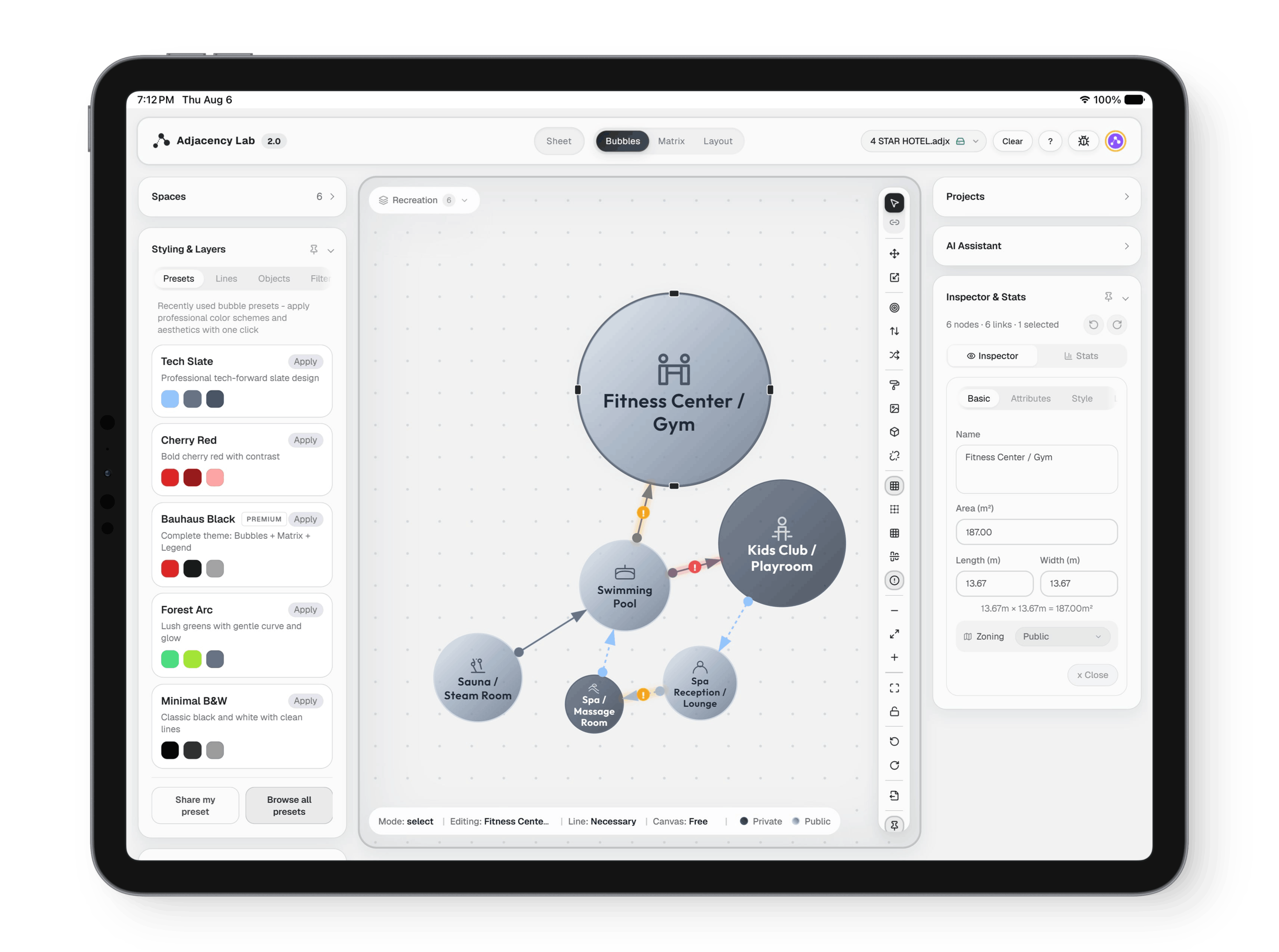
The bubble canvas, with spaces drawn as circles sized by their area and joined by adjacency links
Adjacency Lab Bubble: Spaces you can push around. (4 of 5)
The bubble canvas, with spaces drawn as circles sized by their area and joined by adjacency links
Adjacency Lab Bubble: Spaces you can push around. (5 of 5)
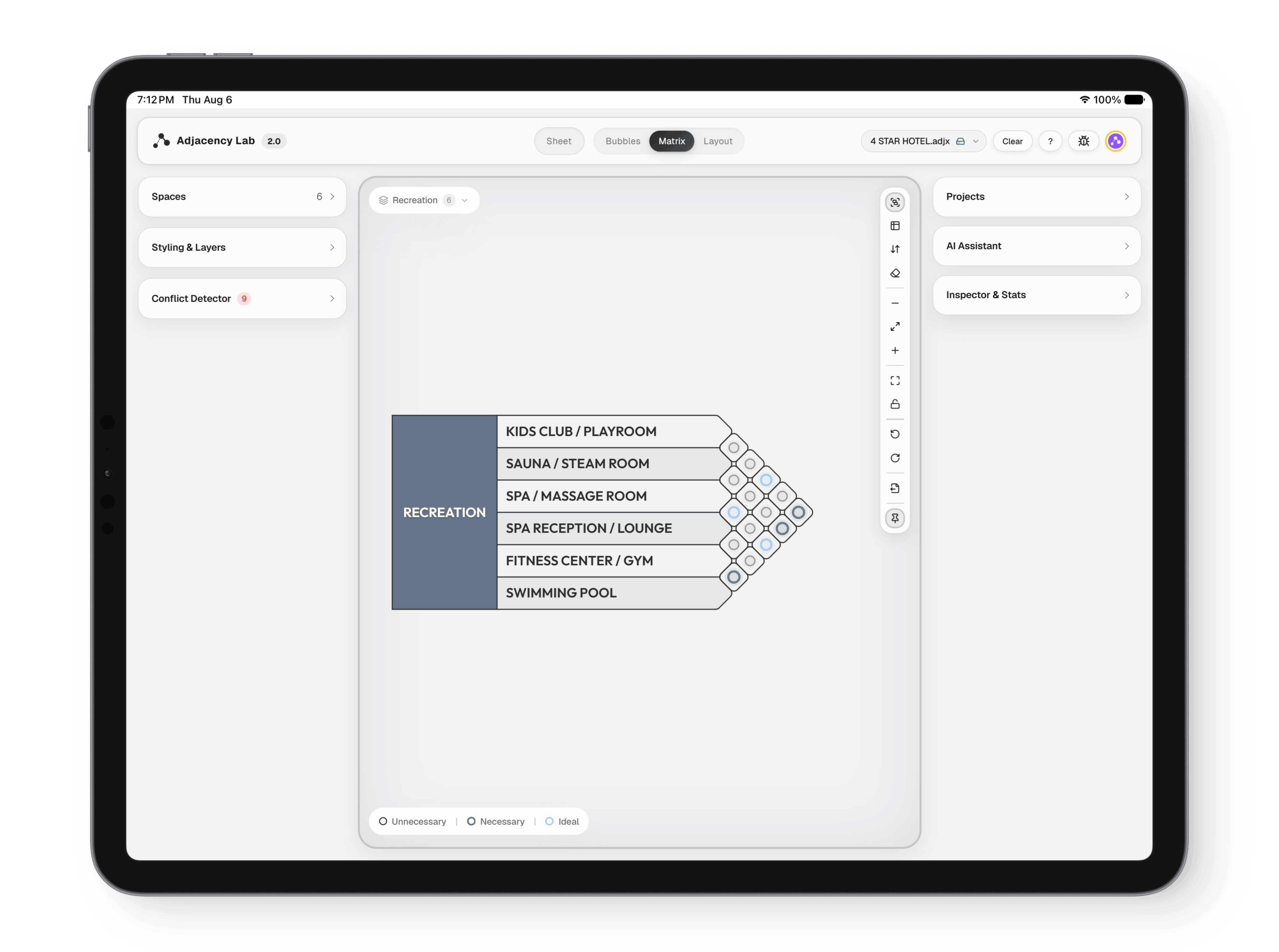
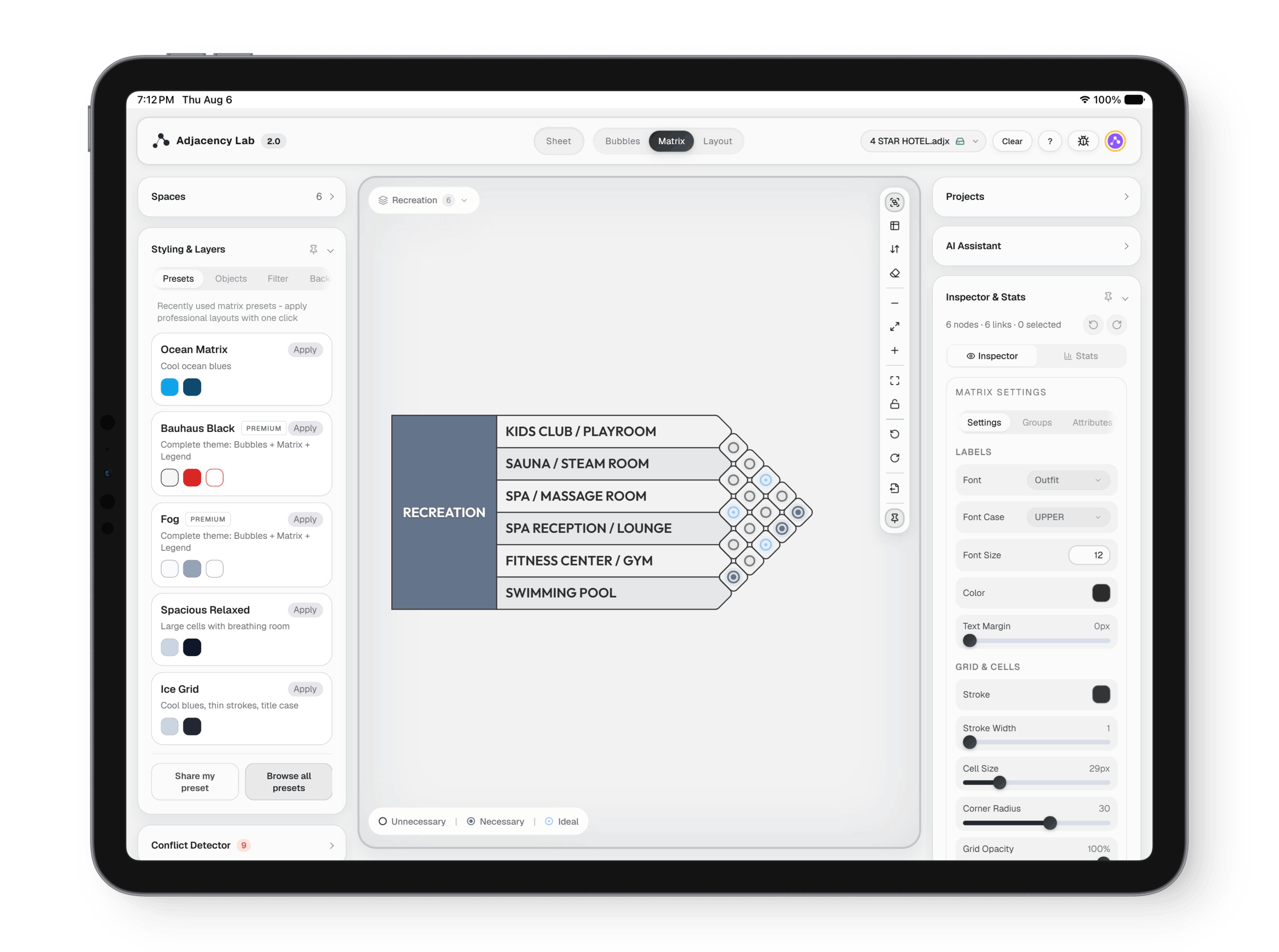
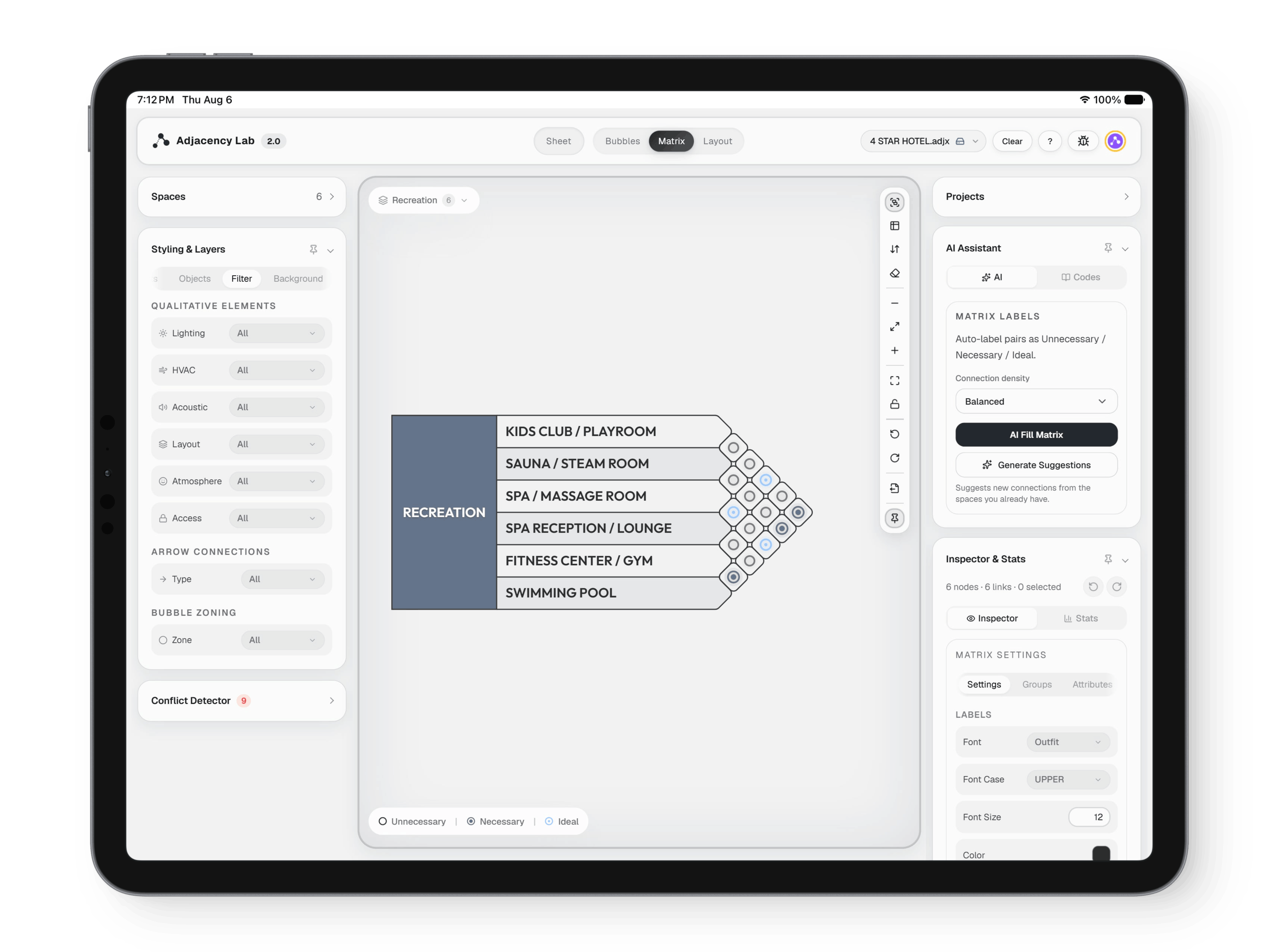
The adjacency matrix, showing the relationship between every pair of spaces
Adjacency Lab Matrix: The same program, read the other way.
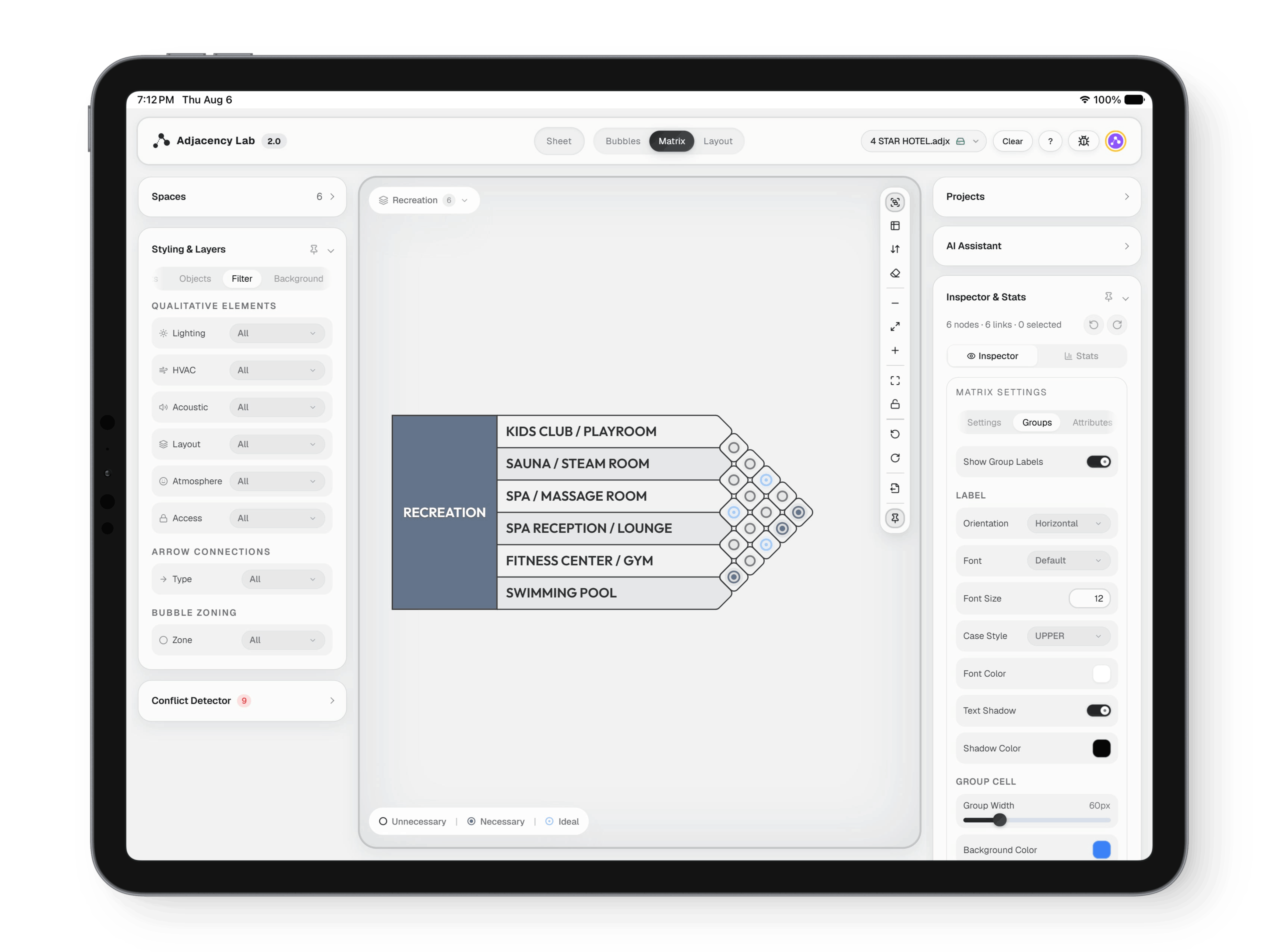
The adjacency matrix, showing the relationship between every pair of spaces
Adjacency Lab Matrix: The same program, read the other way. (2 of 5)
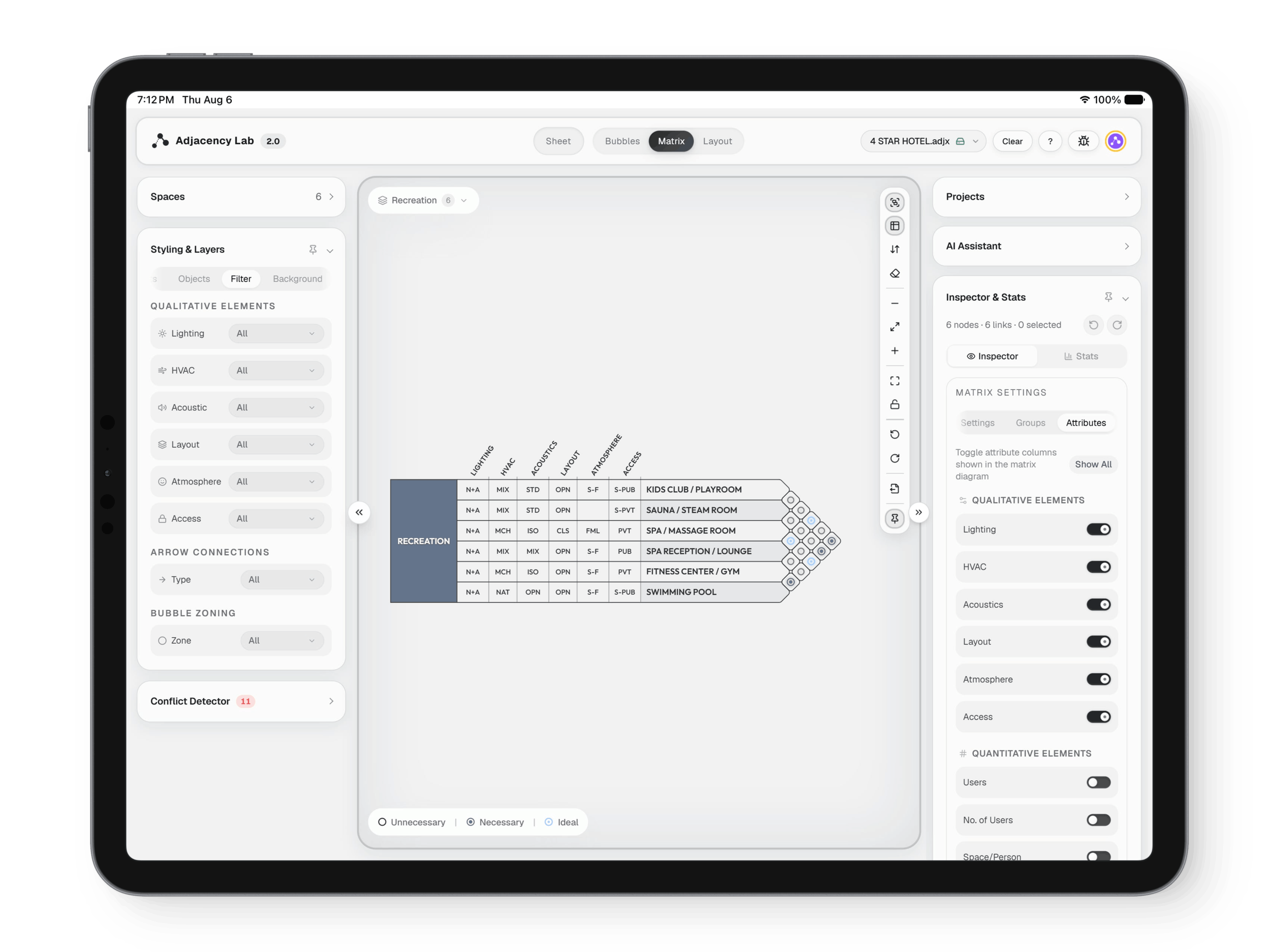
The adjacency matrix, showing the relationship between every pair of spaces
Adjacency Lab Matrix: The same program, read the other way. (3 of 5)
The adjacency matrix, showing the relationship between every pair of spaces
Adjacency Lab Matrix: The same program, read the other way. (4 of 5)
The adjacency matrix, showing the relationship between every pair of spaces
Adjacency Lab Matrix: The same program, read the other way. (5 of 5)
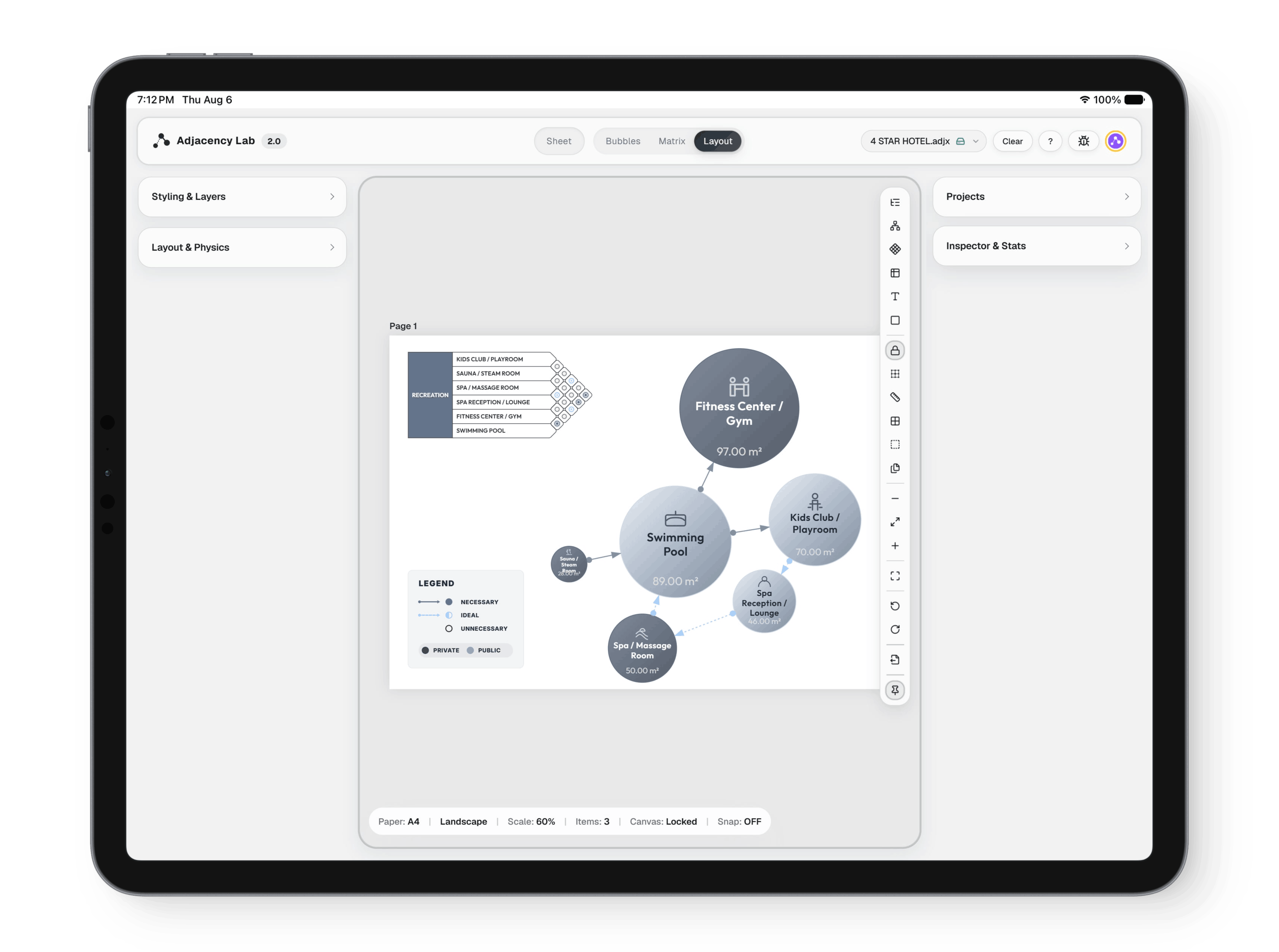
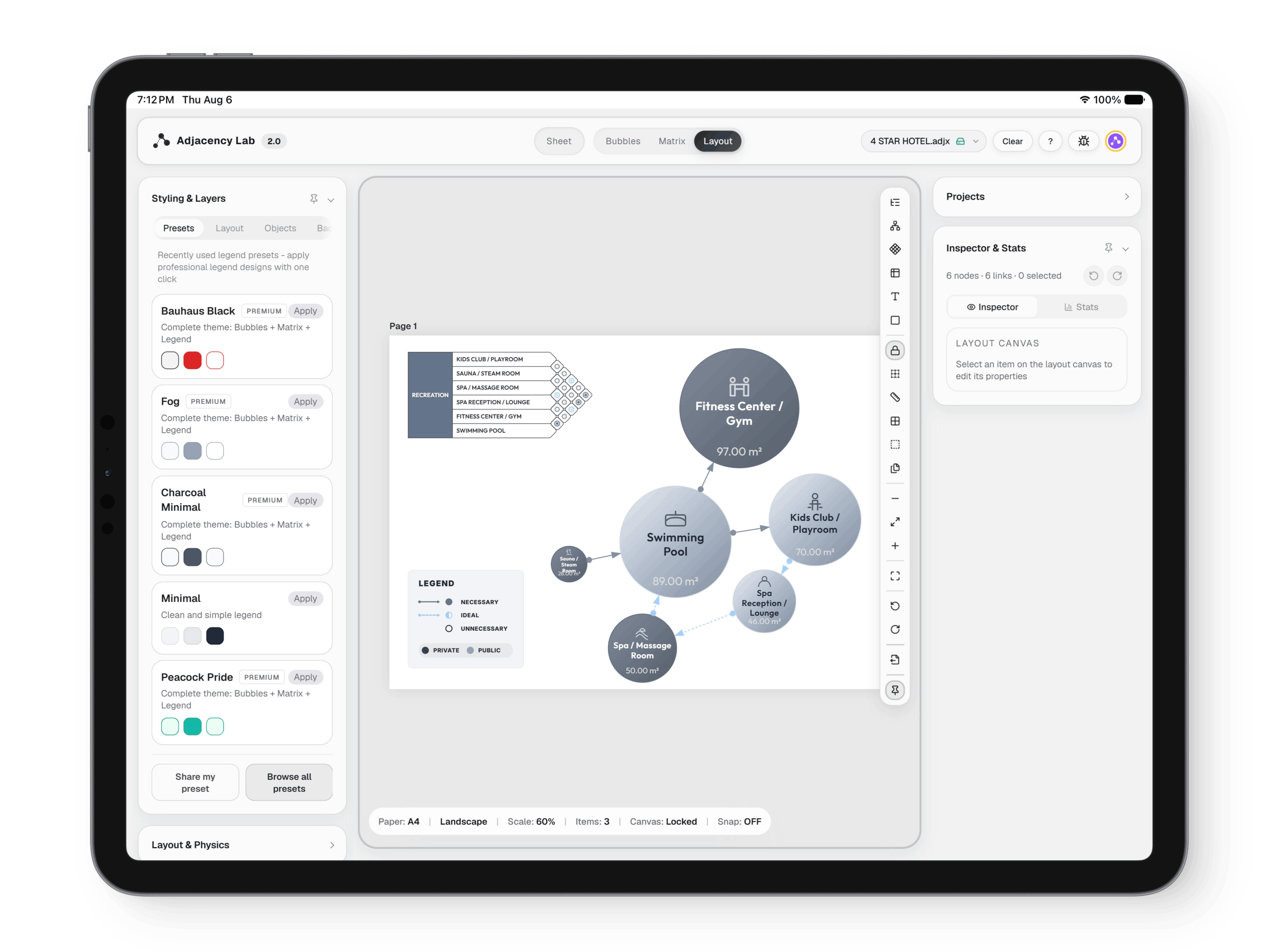
The layout canvas, a board of paper sheets holding diagrams, legends and schedules ready to print
Adjacency Lab Layout: Ready for the wall.
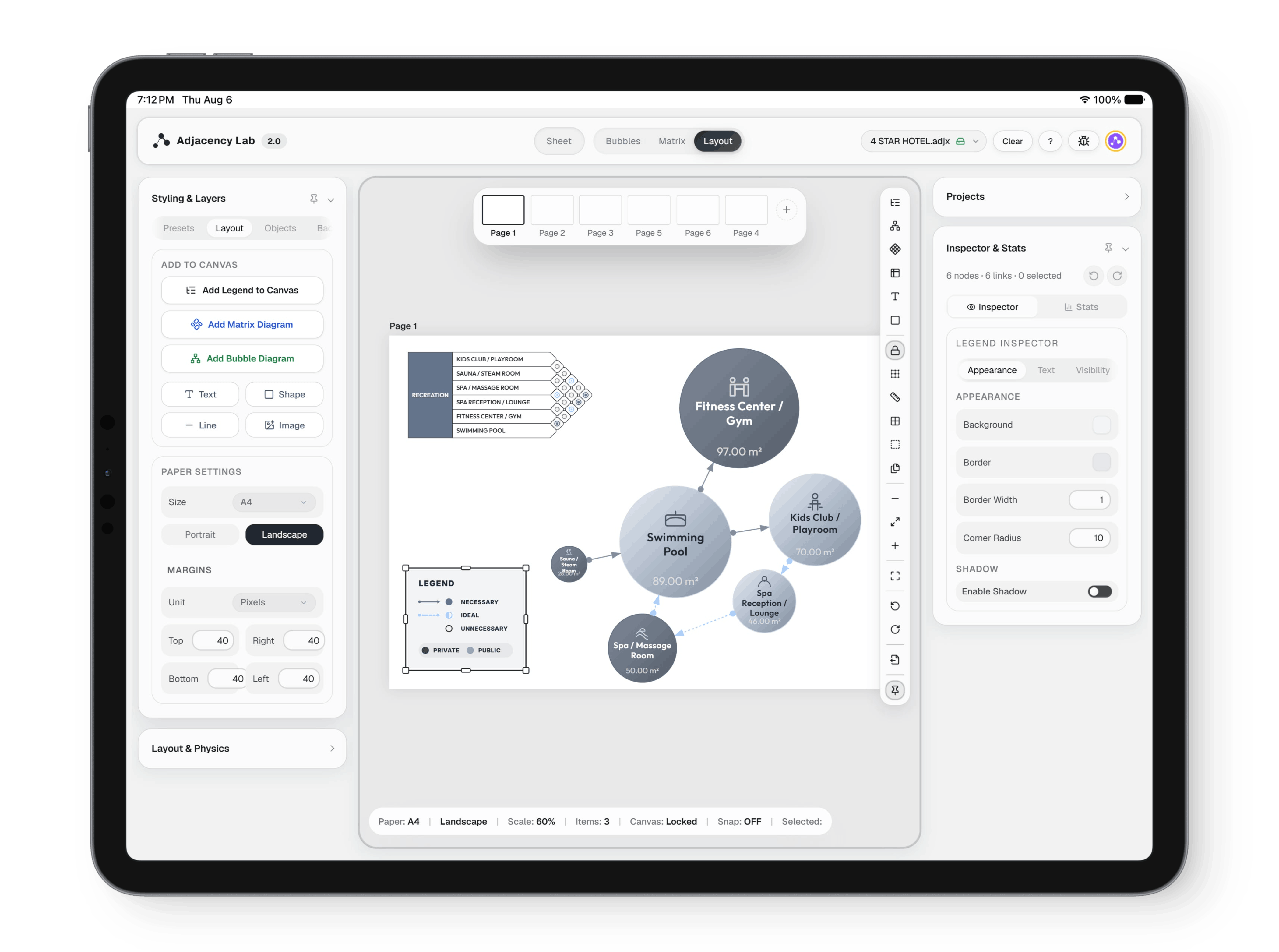
The layout canvas, a board of paper sheets holding diagrams, legends and schedules ready to print
Adjacency Lab Layout: Ready for the wall. (2 of 5)
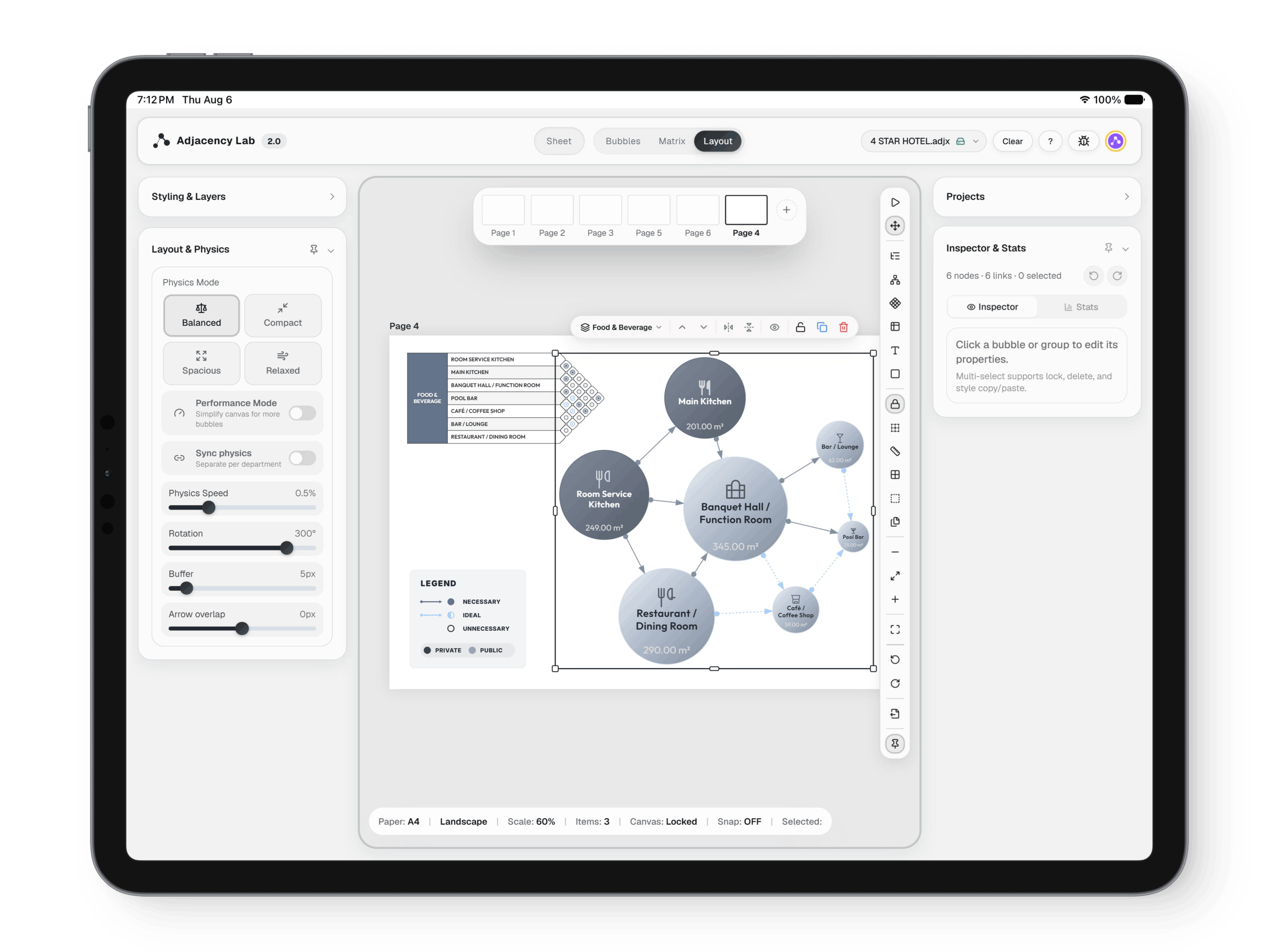
The layout canvas, a board of paper sheets holding diagrams, legends and schedules ready to print
Adjacency Lab Layout: Ready for the wall. (3 of 5)
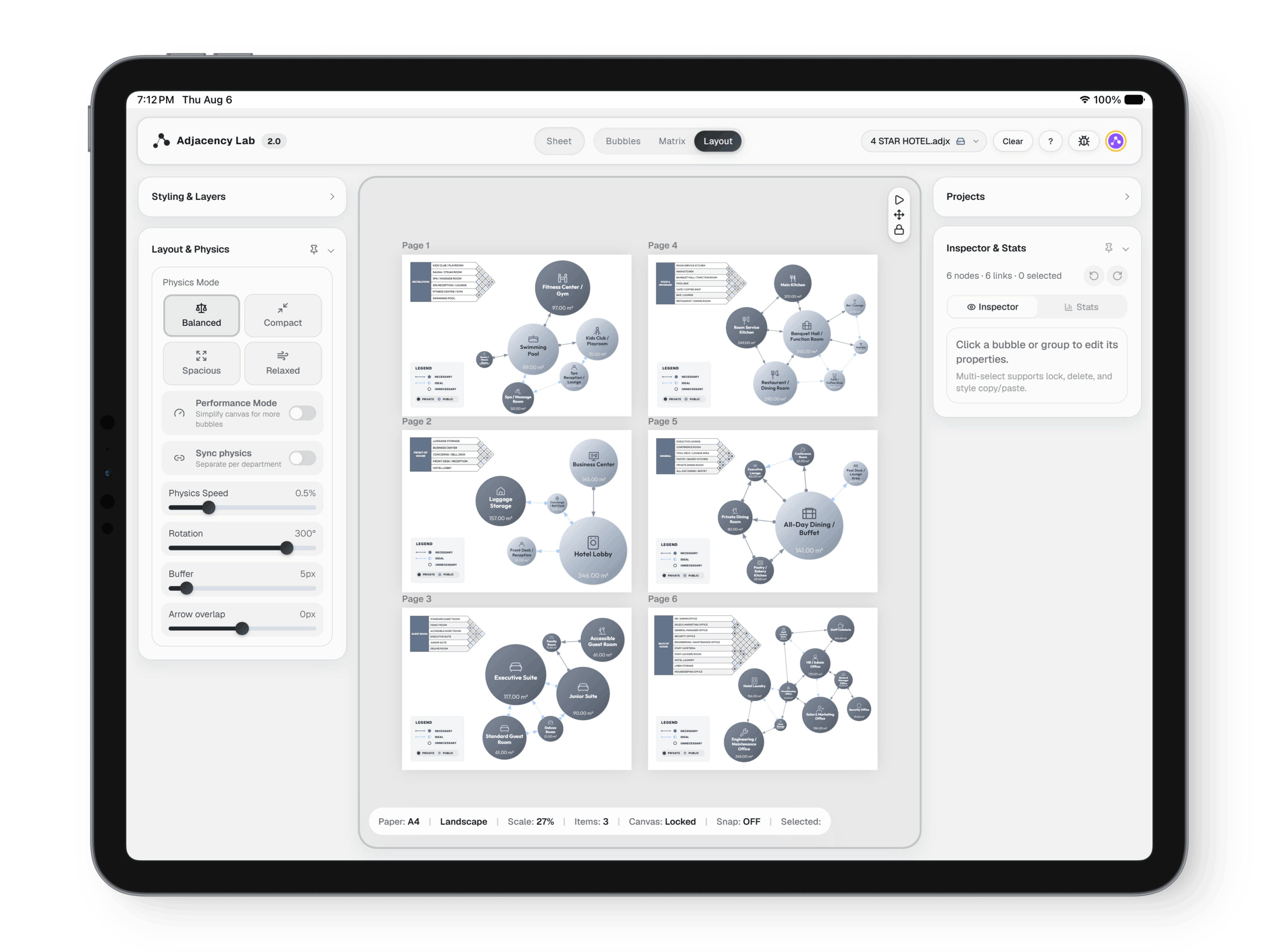
The layout canvas, a board of paper sheets holding diagrams, legends and schedules ready to print
Adjacency Lab Layout: Ready for the wall. (4 of 5)
The layout canvas, a board of paper sheets holding diagrams, legends and schedules ready to print
Adjacency Lab Layout: Ready for the wall. (5 of 5)
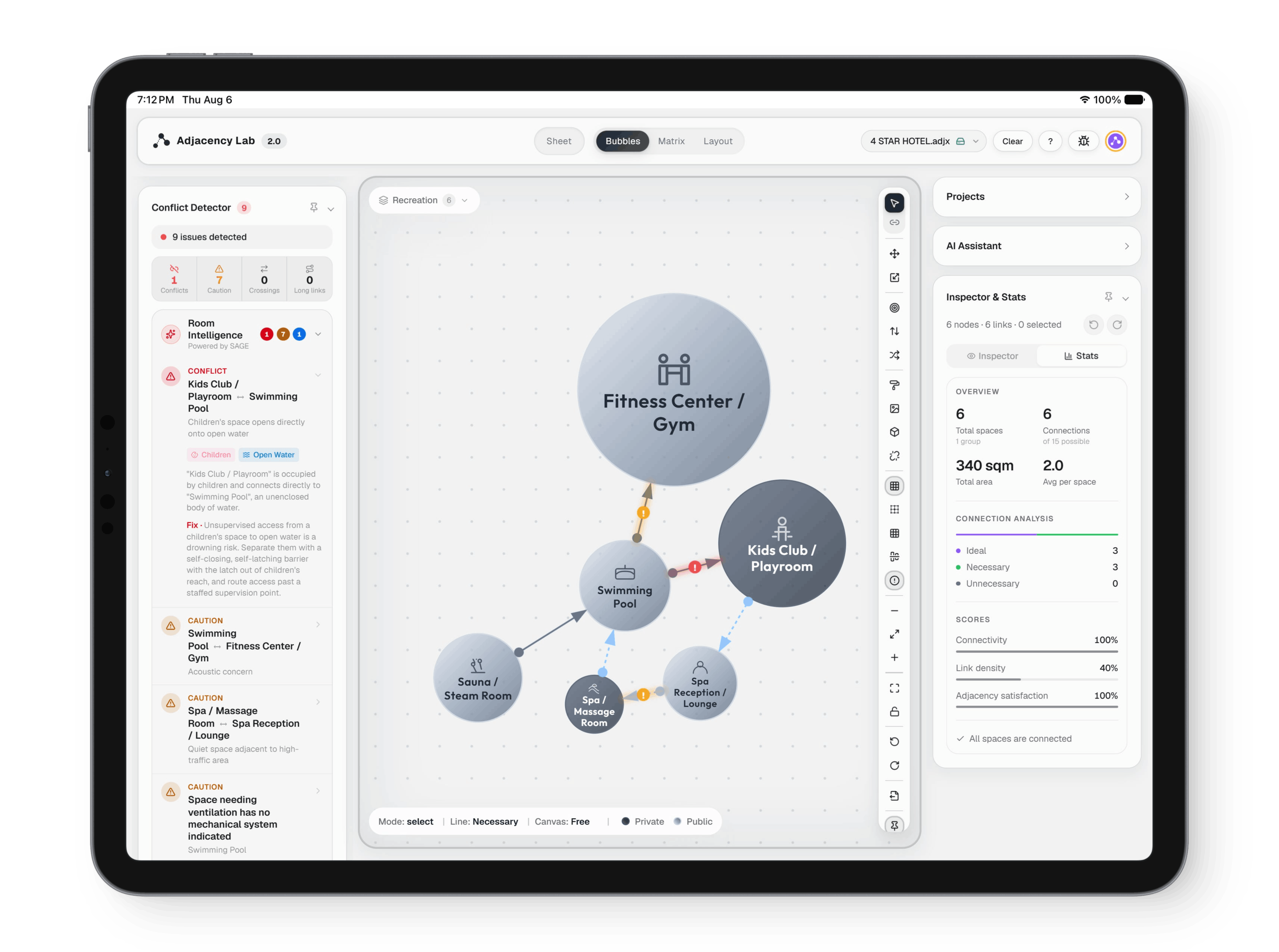
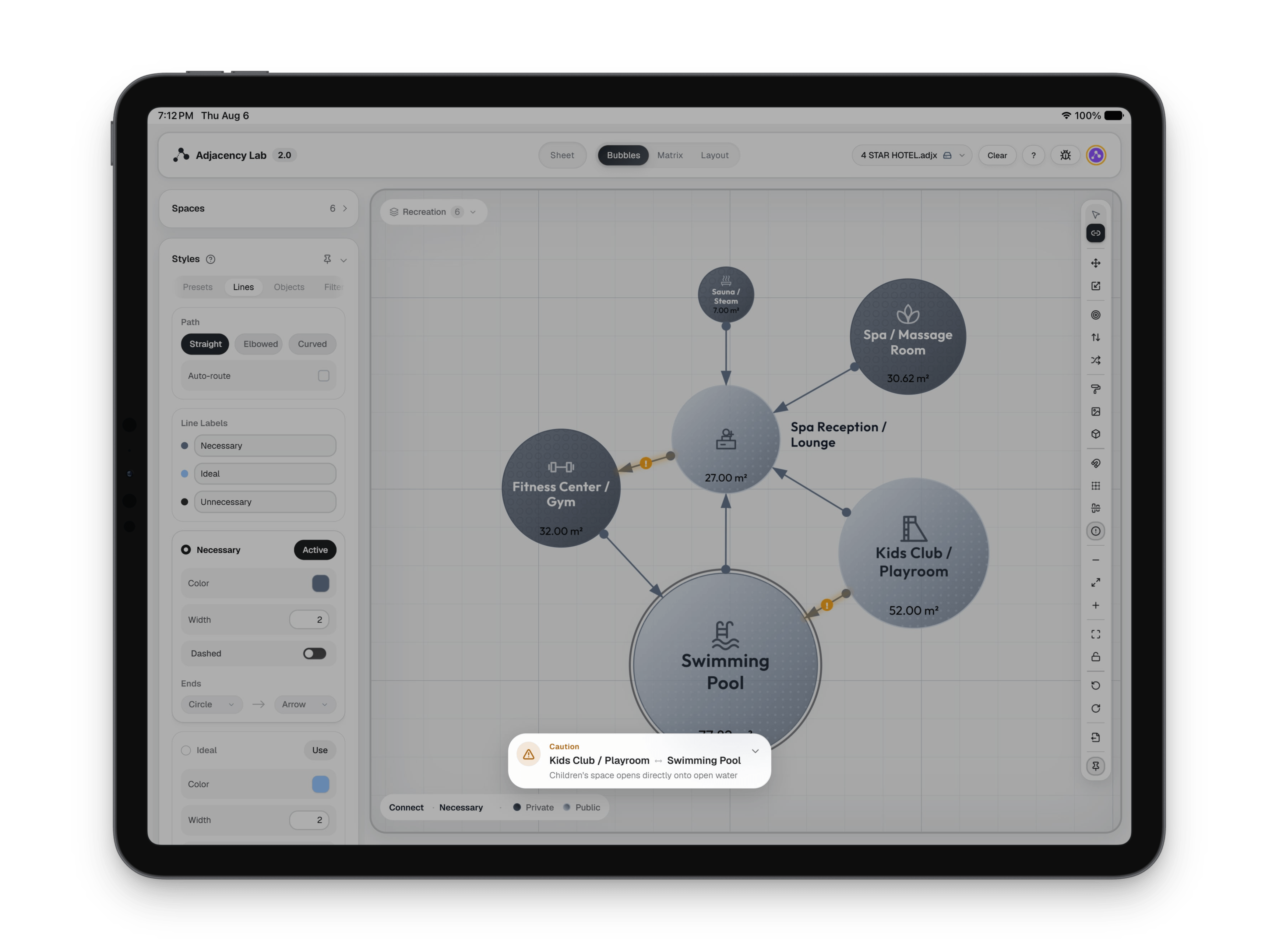
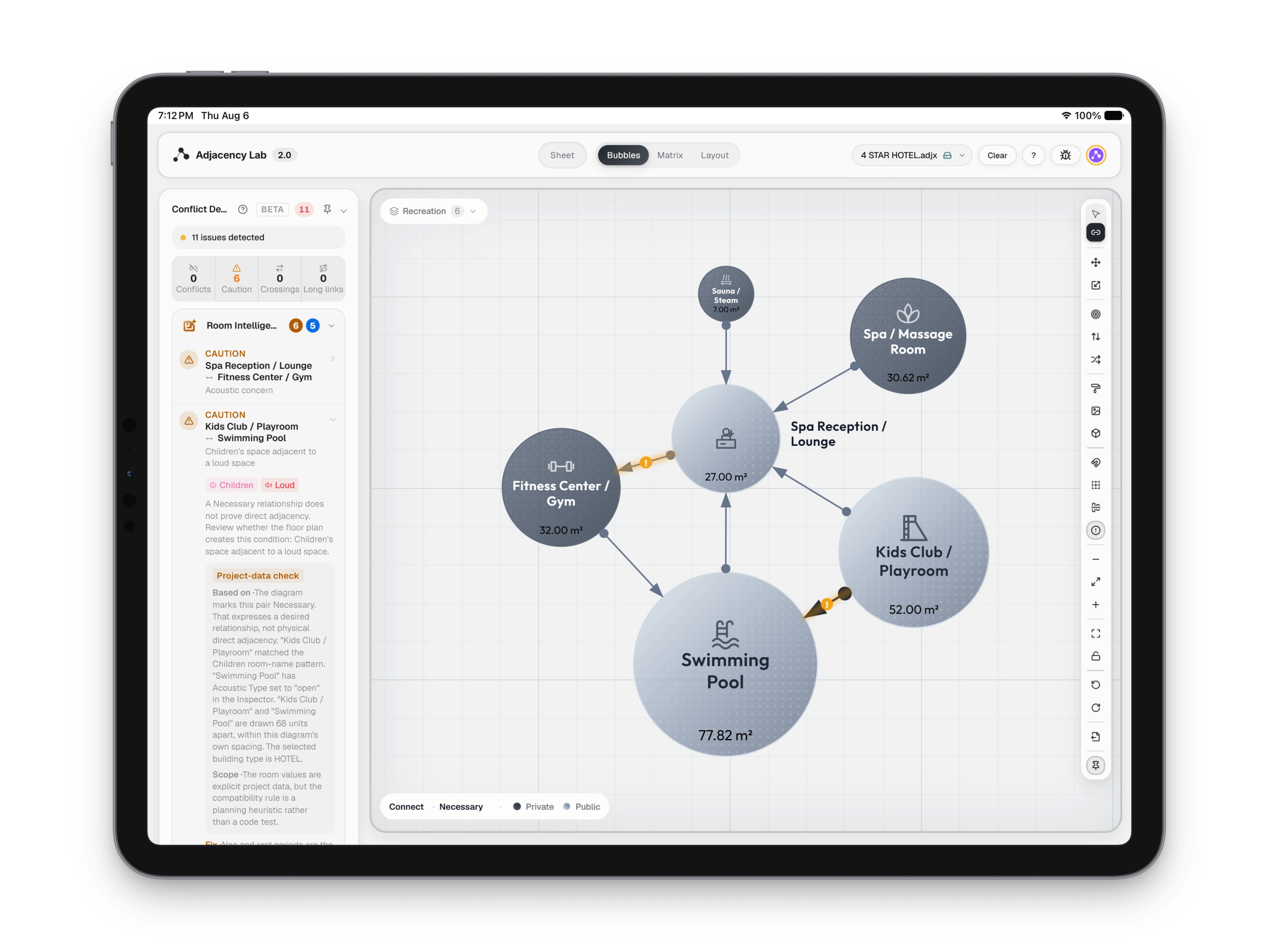
The conflict detector listing rule conflicts and missing relationships beside the bubble diagram
Adjacency Lab SAGE: It knows the building, and tells you when the plan disagrees.
The conflict detector listing rule conflicts and missing relationships beside the bubble diagram
Adjacency Lab SAGE: It knows the building, and tells you when the plan disagrees. (2 of 5)
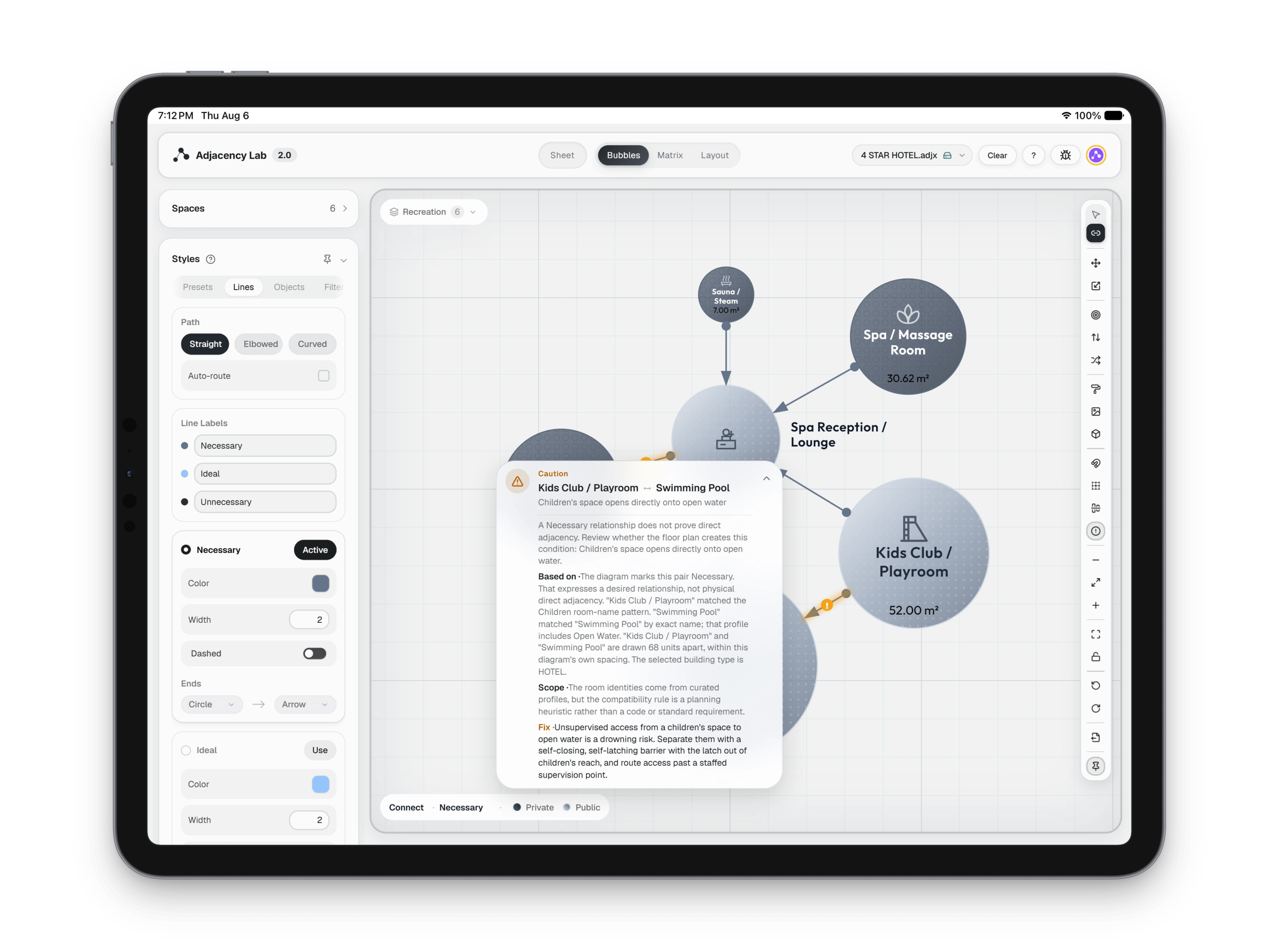
The conflict detector listing rule conflicts and missing relationships beside the bubble diagram
Adjacency Lab SAGE: It knows the building, and tells you when the plan disagrees. (3 of 5)
The conflict detector listing rule conflicts and missing relationships beside the bubble diagram
Adjacency Lab SAGE: It knows the building, and tells you when the plan disagrees. (4 of 5)
The conflict detector listing rule conflicts and missing relationships beside the bubble diagram
Adjacency Lab SAGE: It knows the building, and tells you when the plan disagrees. (5 of 5)
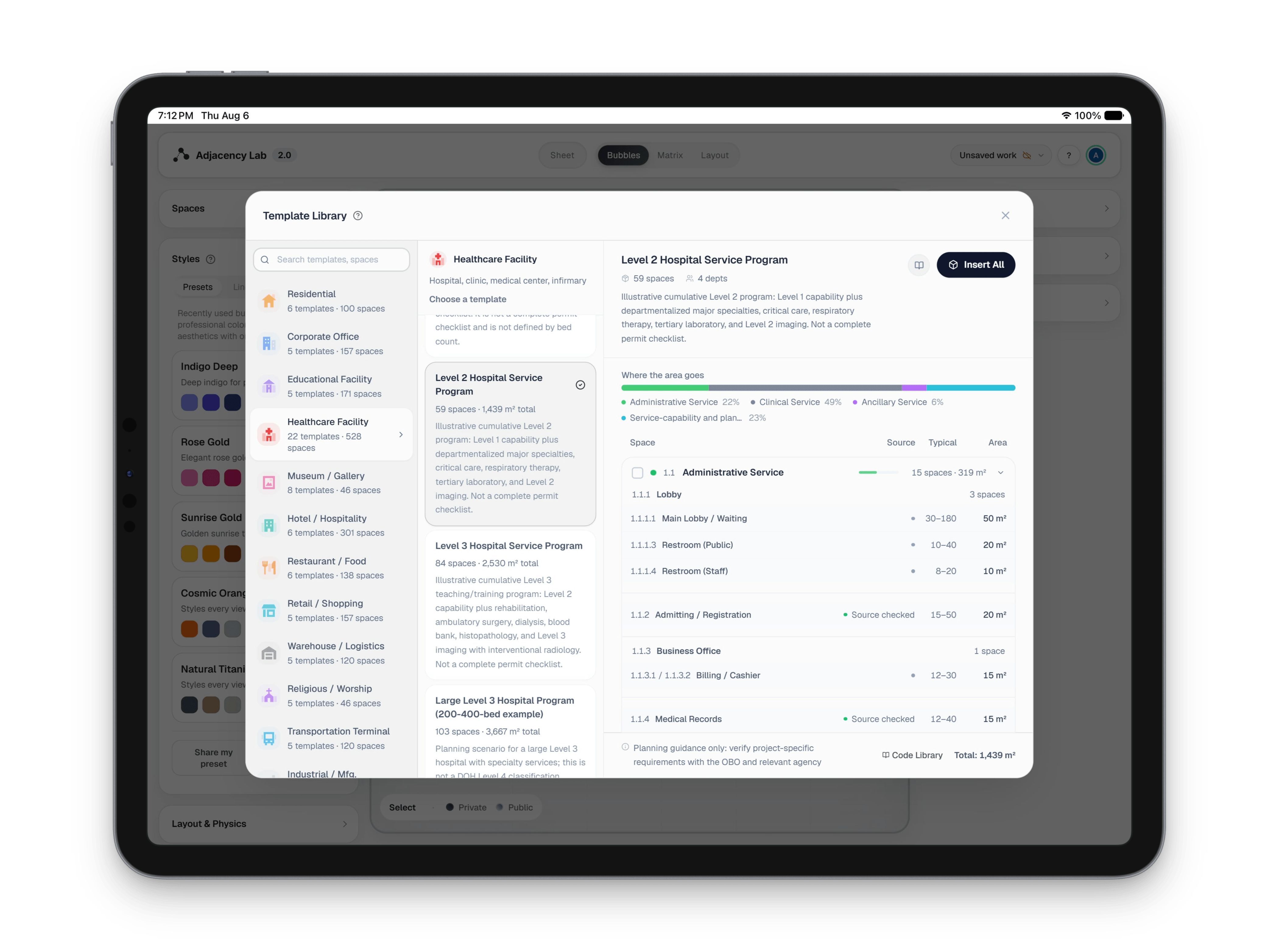
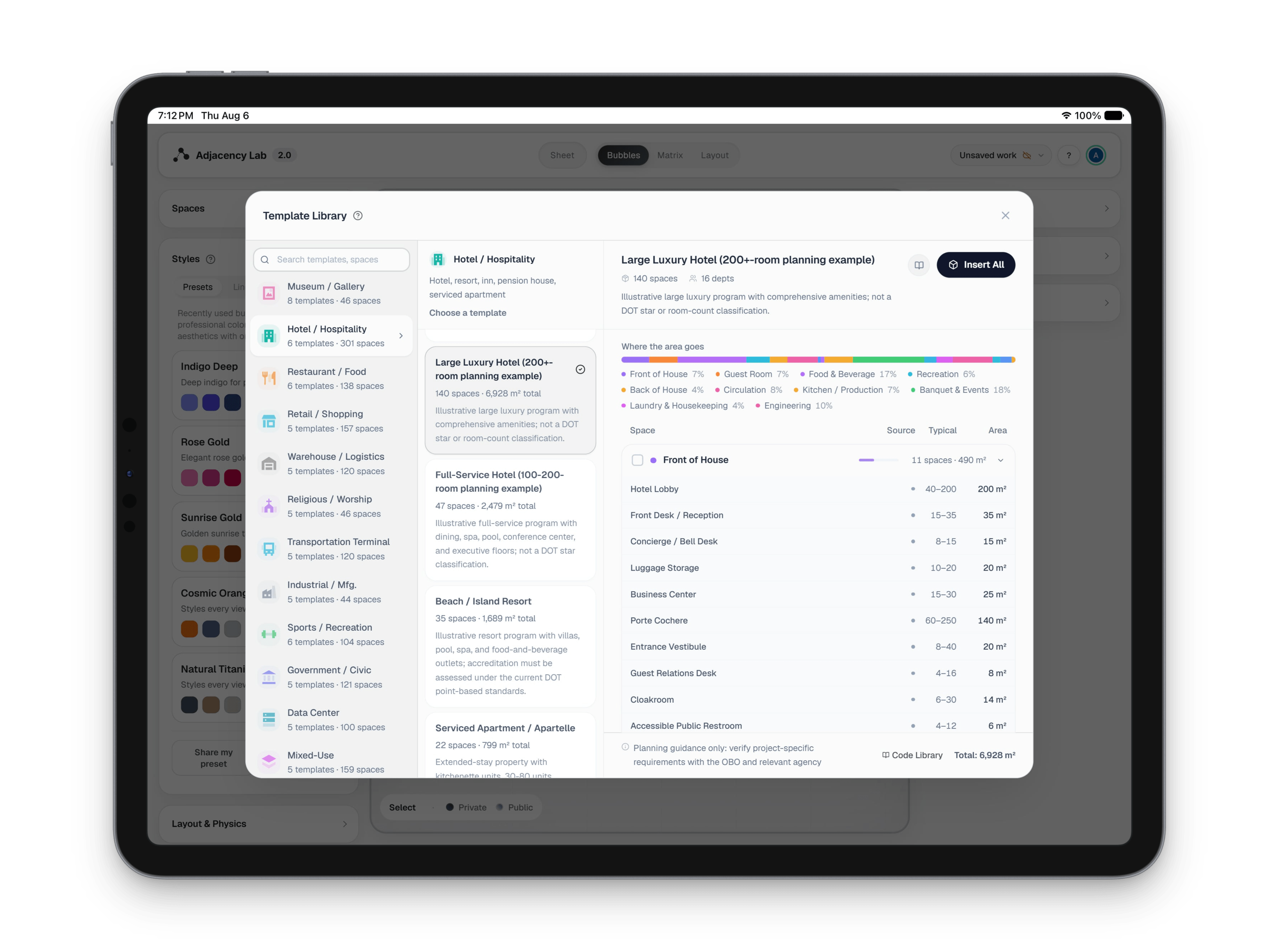
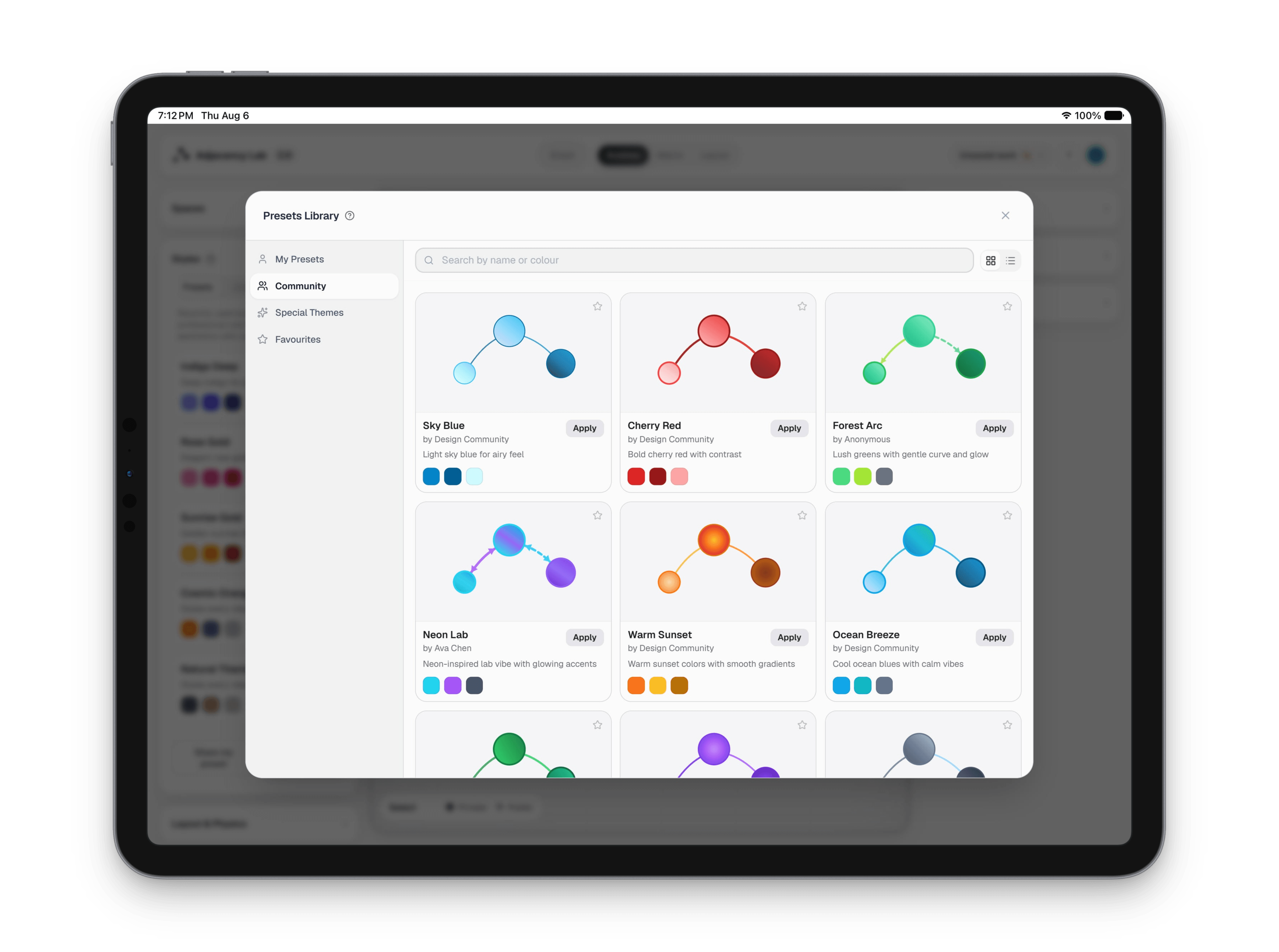
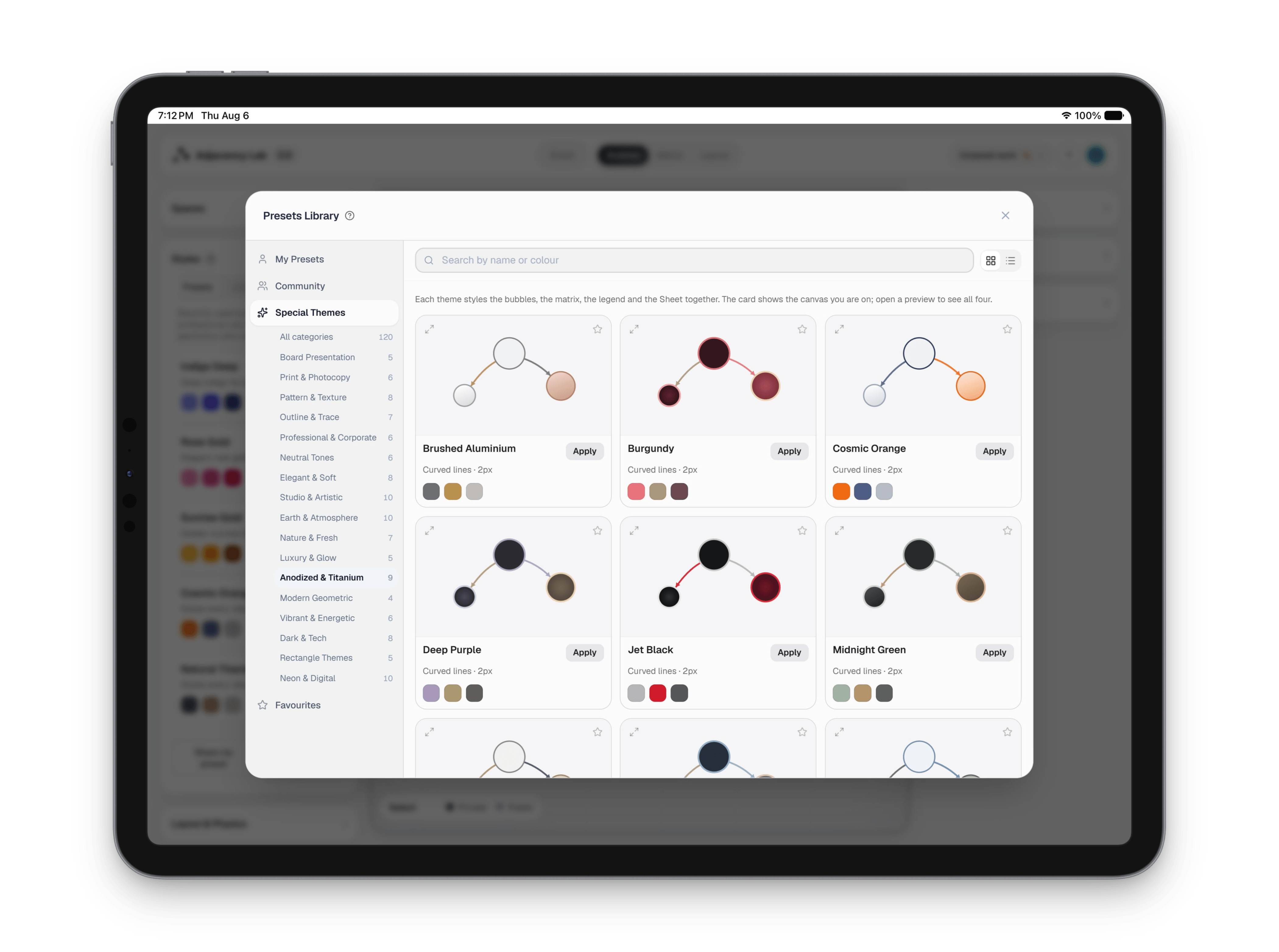
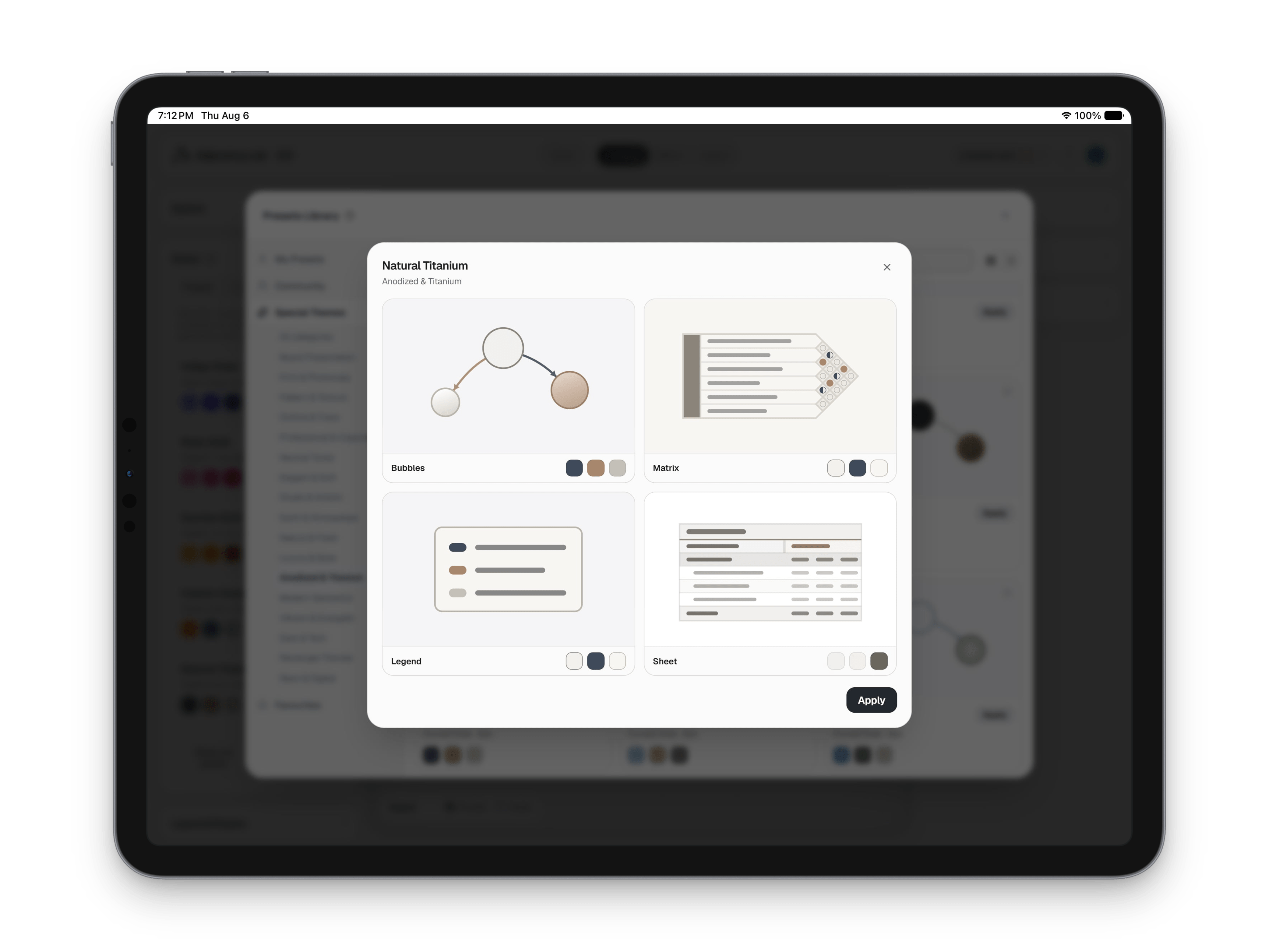
The template and preset library, showing prepared programs and diagram styles
Adjacency Lab library: Start from a program, not a blank page.
The template and preset library, showing prepared programs and diagram styles
Adjacency Lab library: Start from a program, not a blank page. (2 of 5)
The template and preset library, showing prepared programs and diagram styles
Adjacency Lab library: Start from a program, not a blank page. (3 of 5)
The template and preset library, showing prepared programs and diagram styles
Adjacency Lab library: Start from a program, not a blank page. (4 of 5)
The template and preset library, showing prepared programs and diagram styles
Adjacency Lab library: Start from a program, not a blank page. (5 of 5)
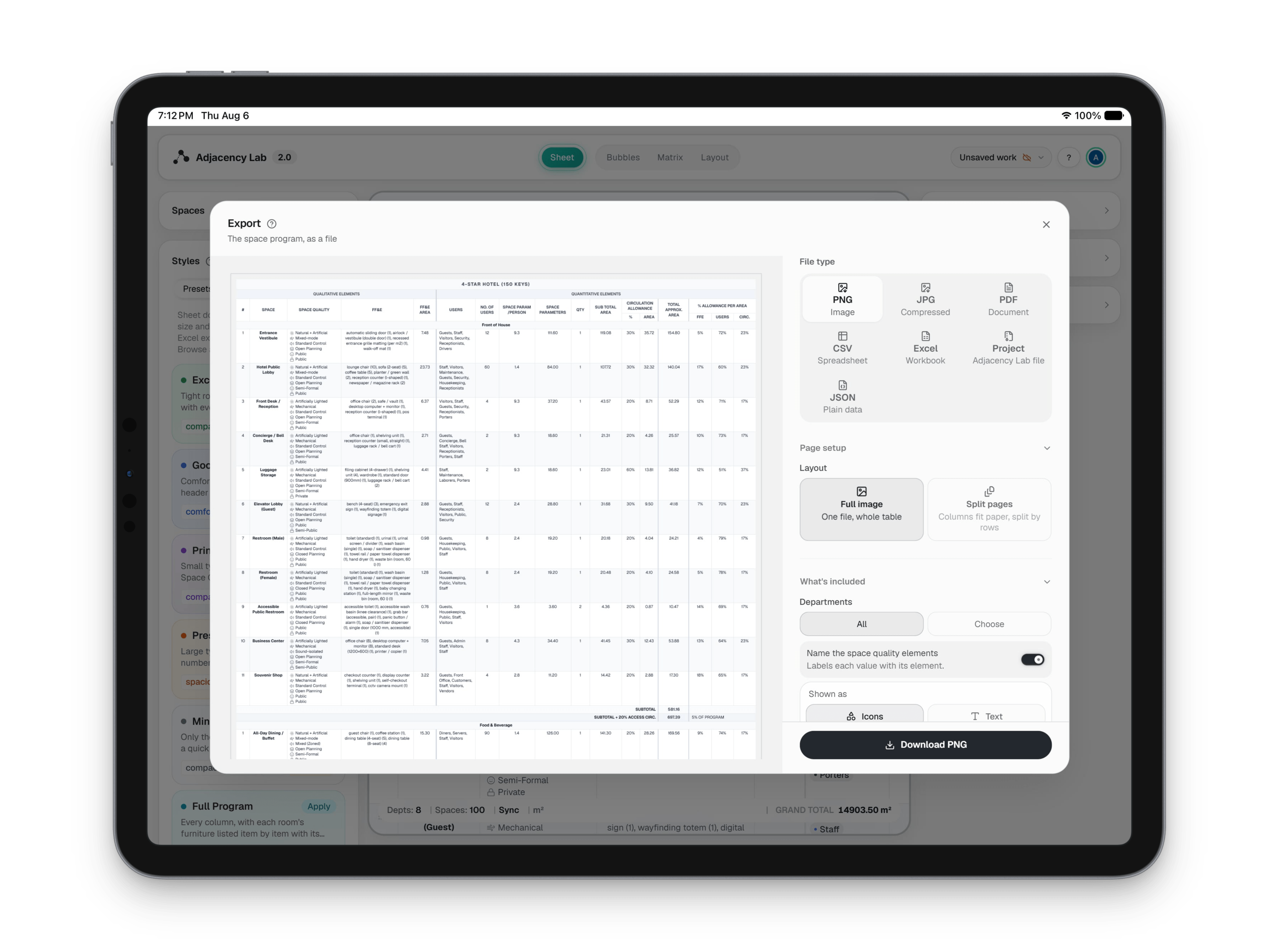
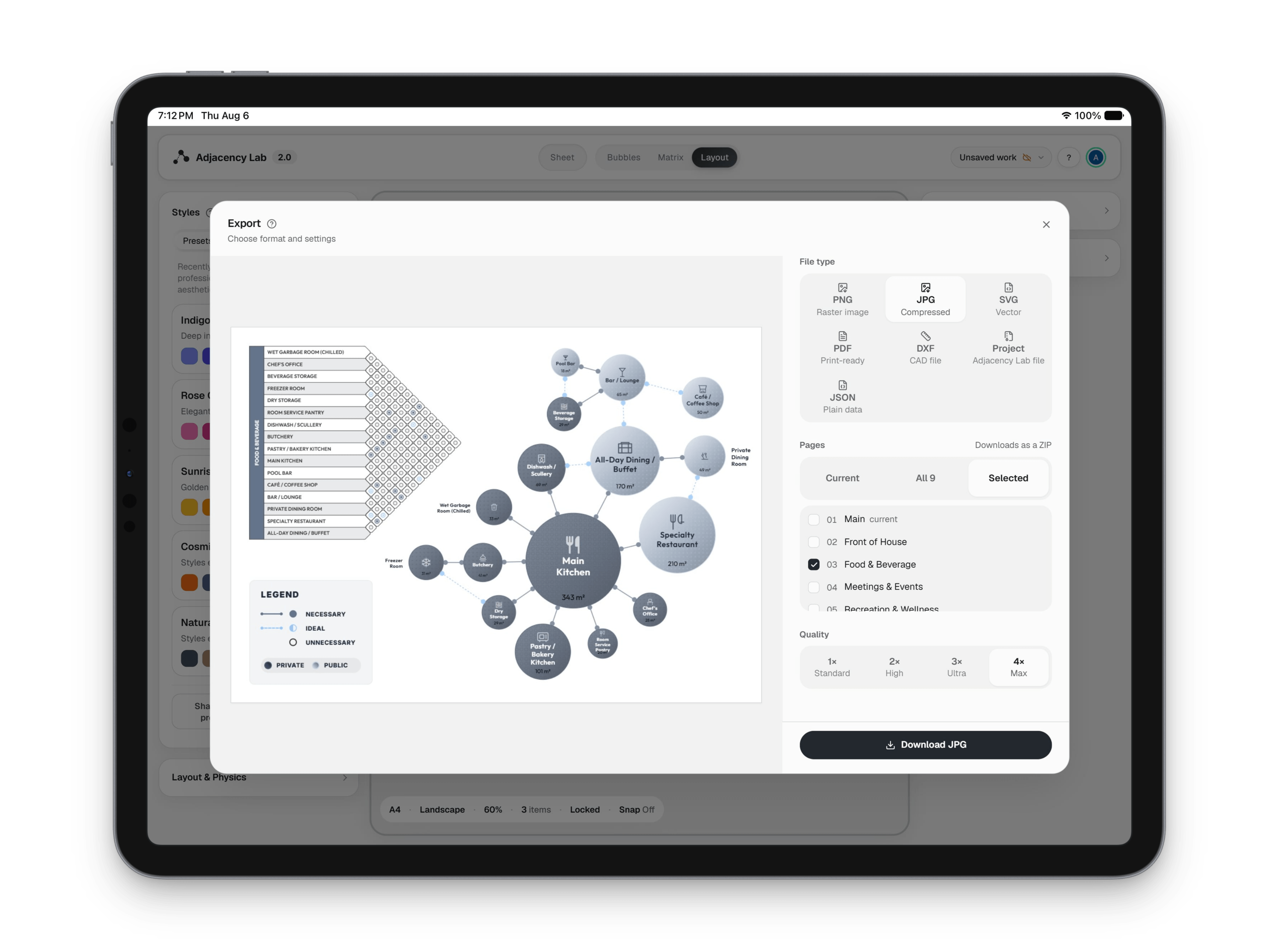
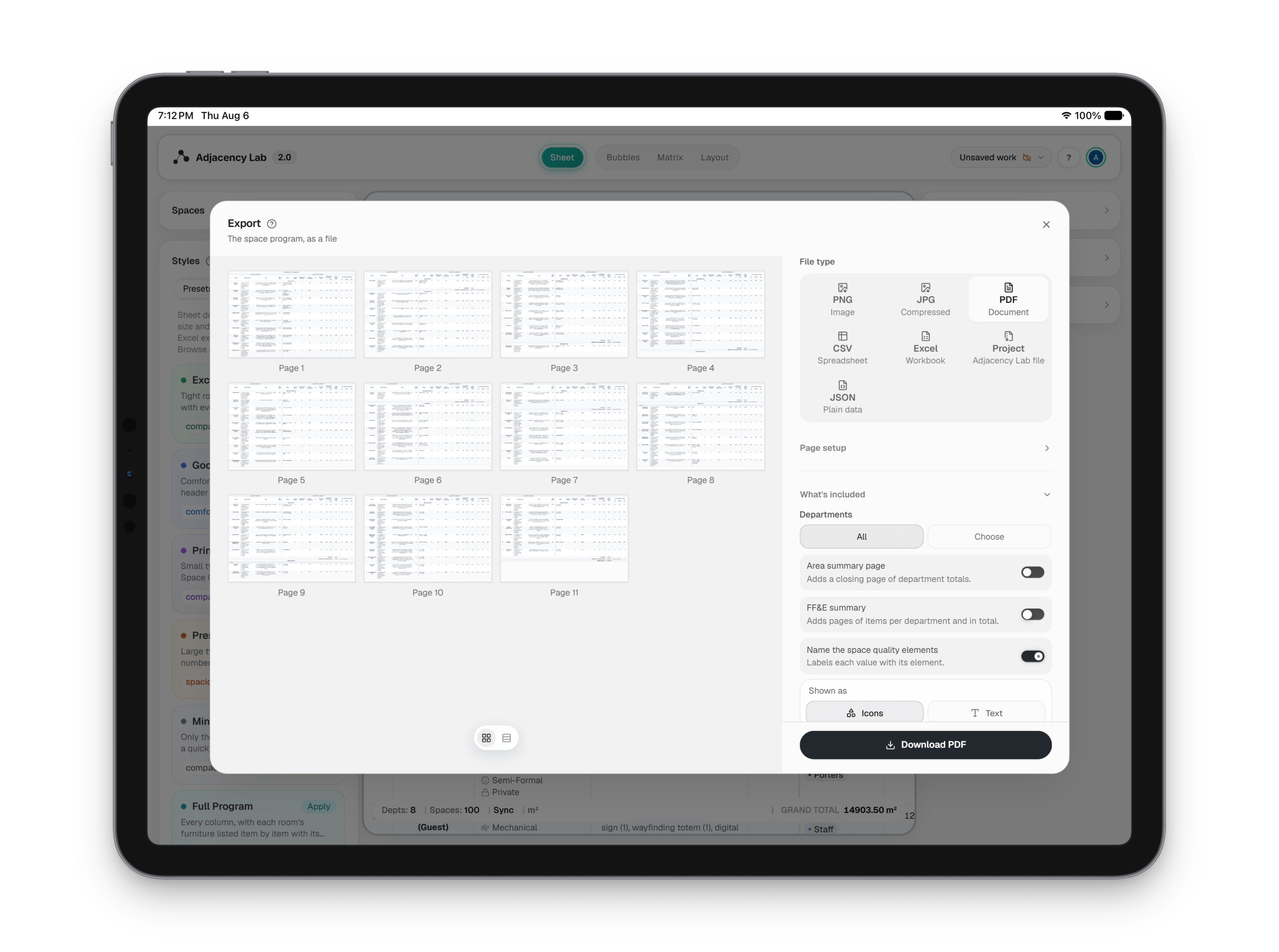
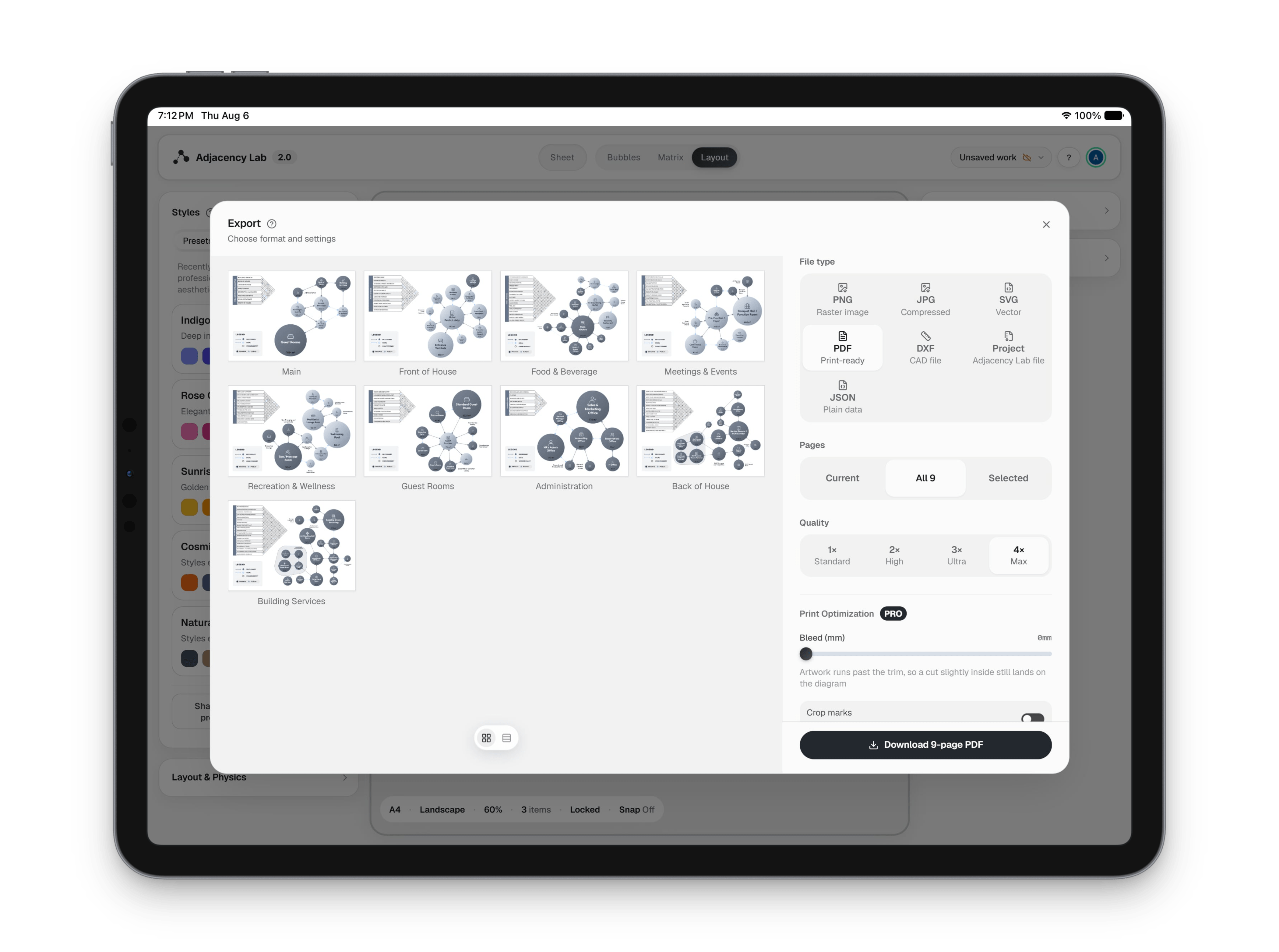
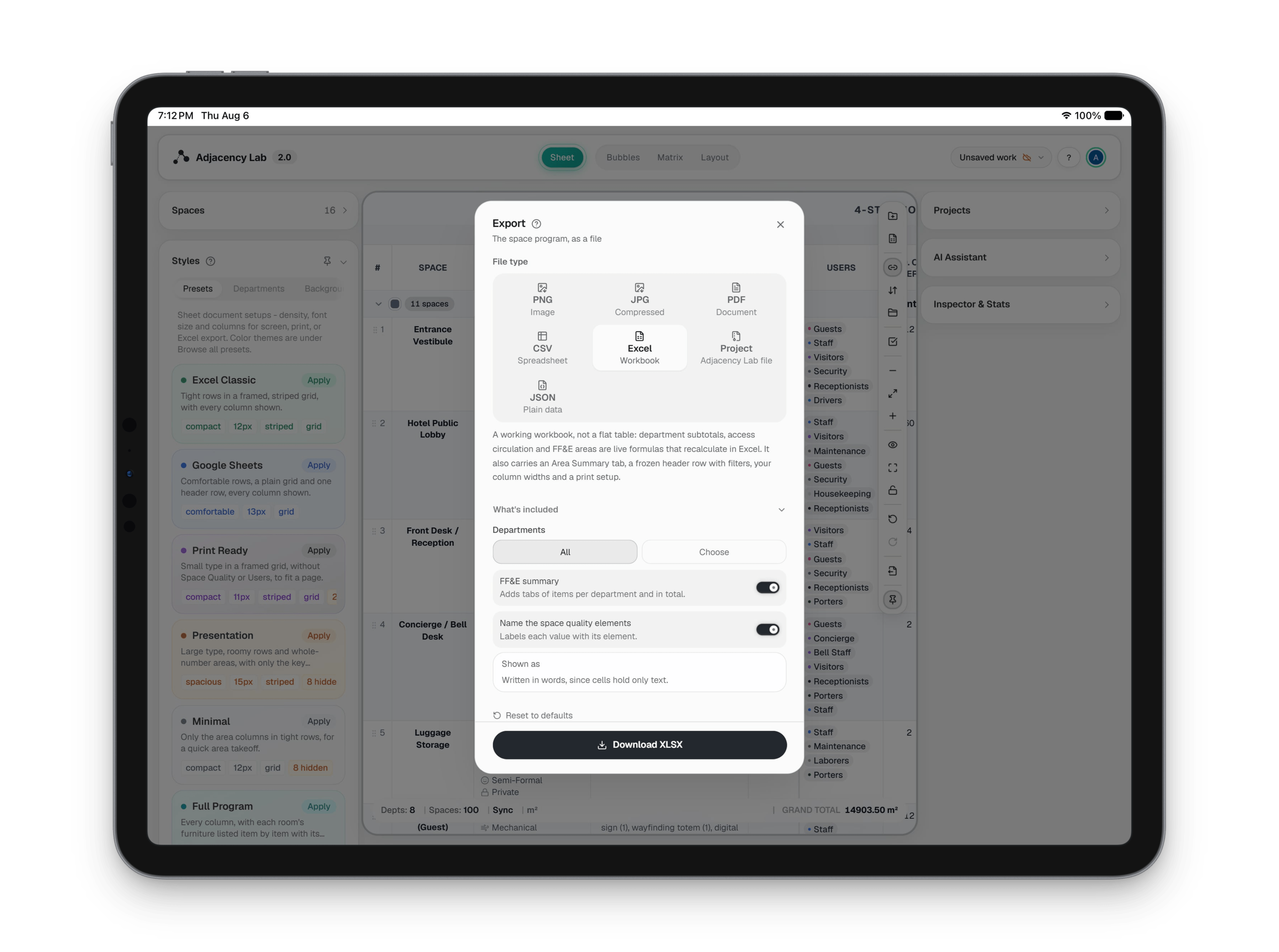
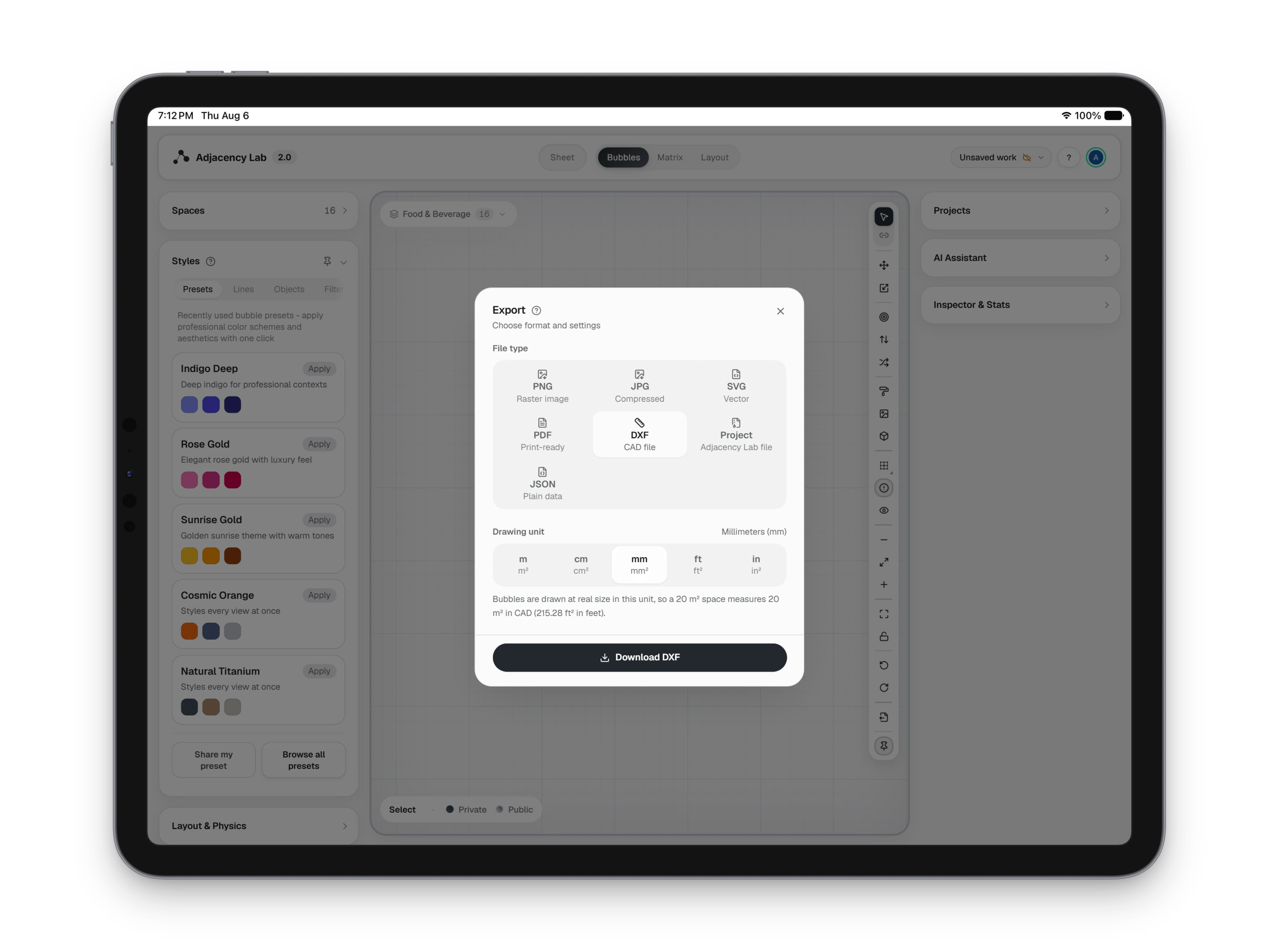
The export dialog sending the same project out as a PNG of the Sheet, a paginated PDF, a multi-page layout PDF, a styled Excel workbook and a DXF for CAD
Adjacency Lab sharing: Saved as you go. Yours to share or to take away.
The export dialog sending the same project out as a PNG of the Sheet, a paginated PDF, a multi-page layout PDF, a styled Excel workbook and a DXF for CAD
Adjacency Lab sharing: Saved as you go. Yours to share or to take away. (2 of 6)
The export dialog sending the same project out as a PNG of the Sheet, a paginated PDF, a multi-page layout PDF, a styled Excel workbook and a DXF for CAD
Adjacency Lab sharing: Saved as you go. Yours to share or to take away. (3 of 6)
The export dialog sending the same project out as a PNG of the Sheet, a paginated PDF, a multi-page layout PDF, a styled Excel workbook and a DXF for CAD
Adjacency Lab sharing: Saved as you go. Yours to share or to take away. (4 of 6)
The export dialog sending the same project out as a PNG of the Sheet, a paginated PDF, a multi-page layout PDF, a styled Excel workbook and a DXF for CAD
Adjacency Lab sharing: Saved as you go. Yours to share or to take away. (5 of 6)
The export dialog sending the same project out as a PNG of the Sheet, a paginated PDF, a multi-page layout PDF, a styled Excel workbook and a DXF for CAD
Adjacency Lab sharing: Saved as you go. Yours to share or to take away. (6 of 6)
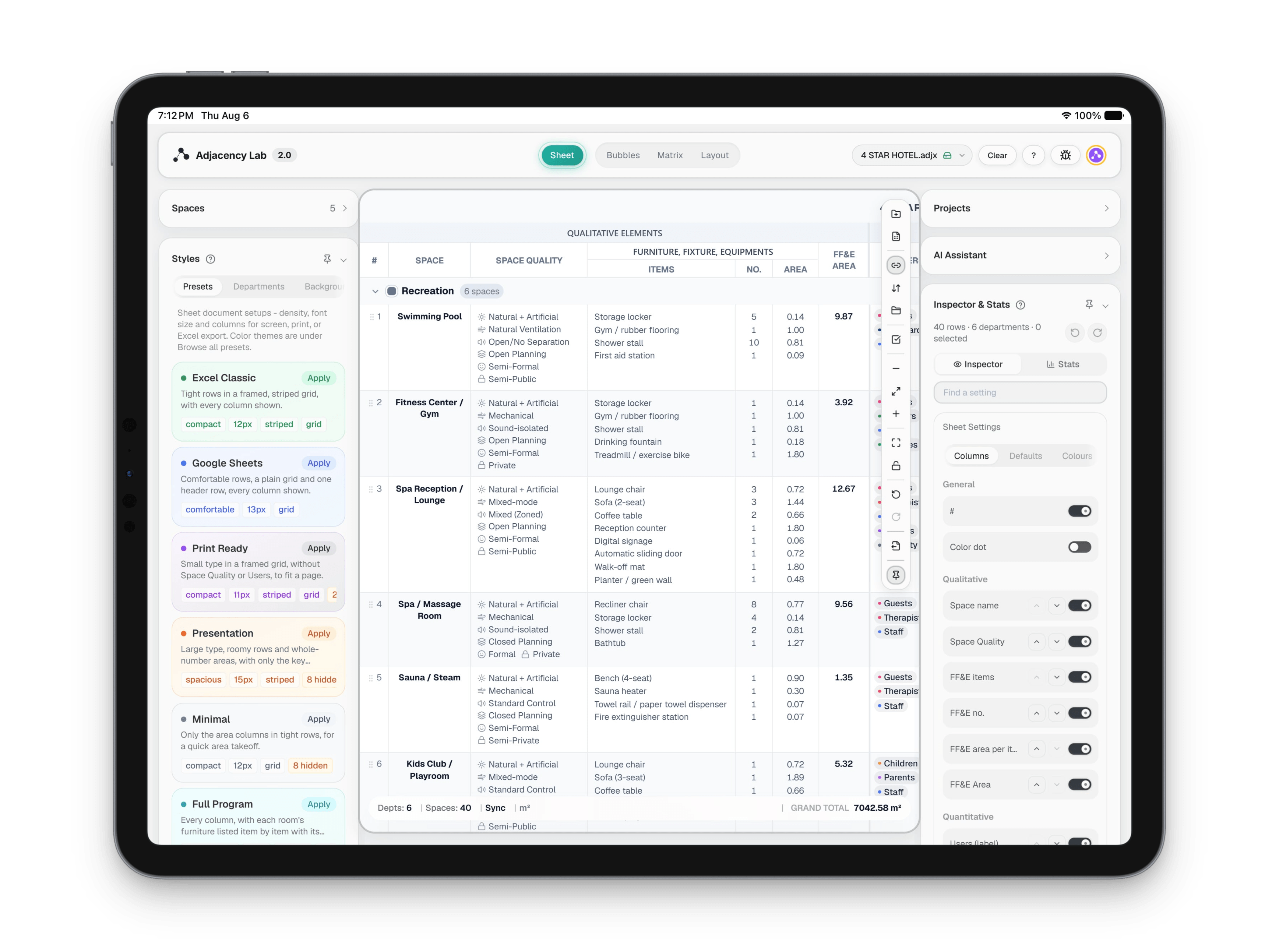
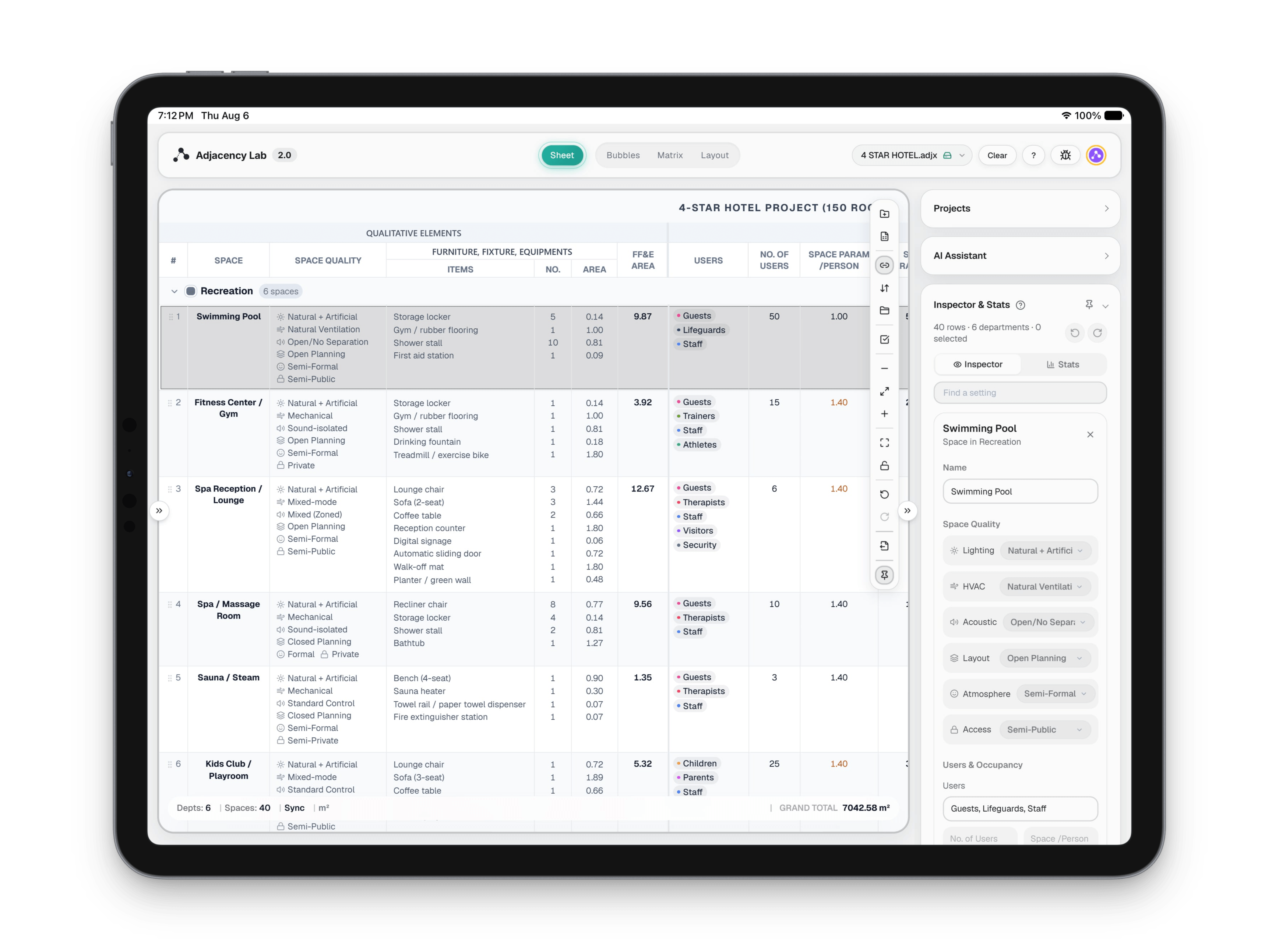
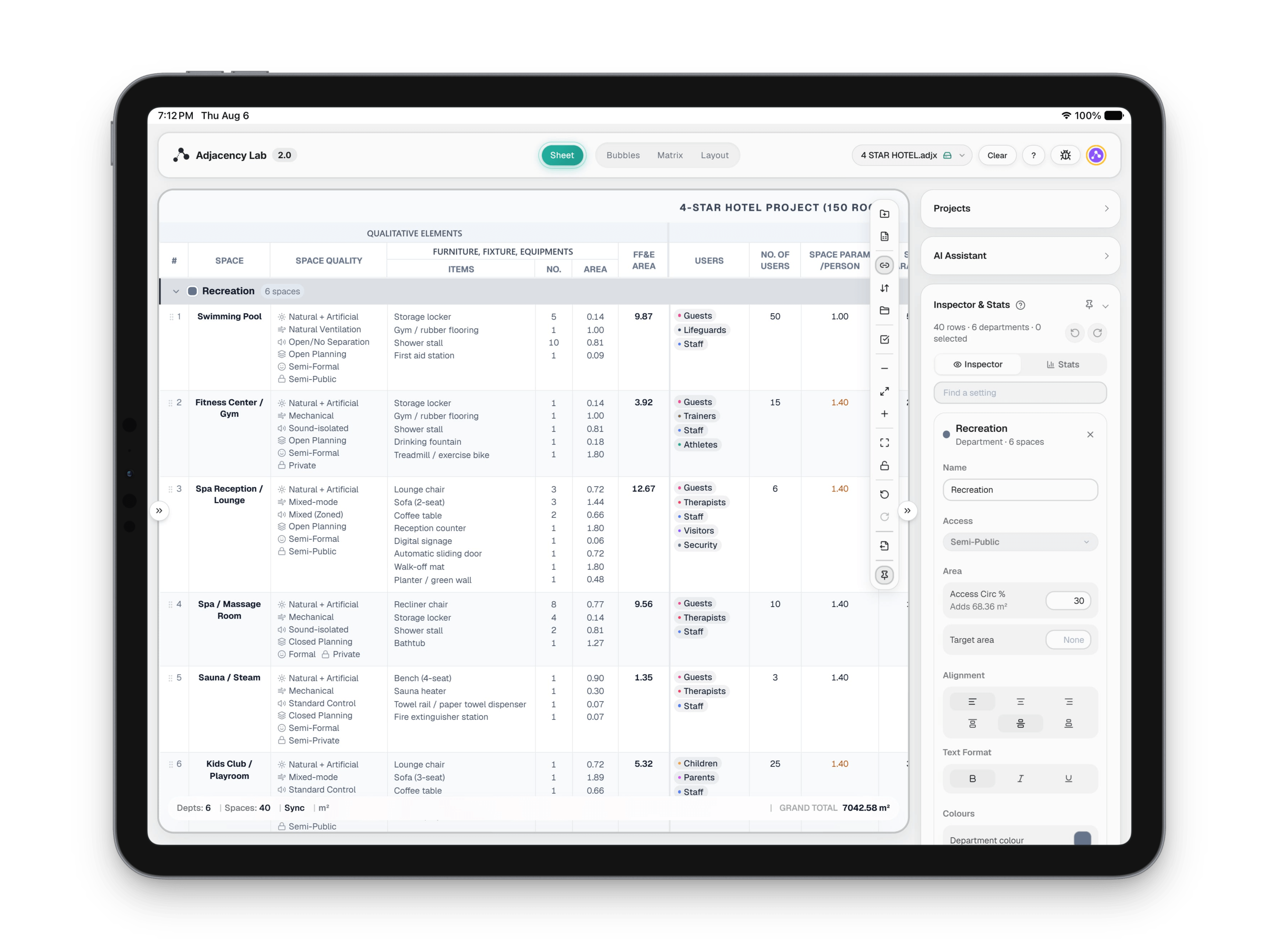
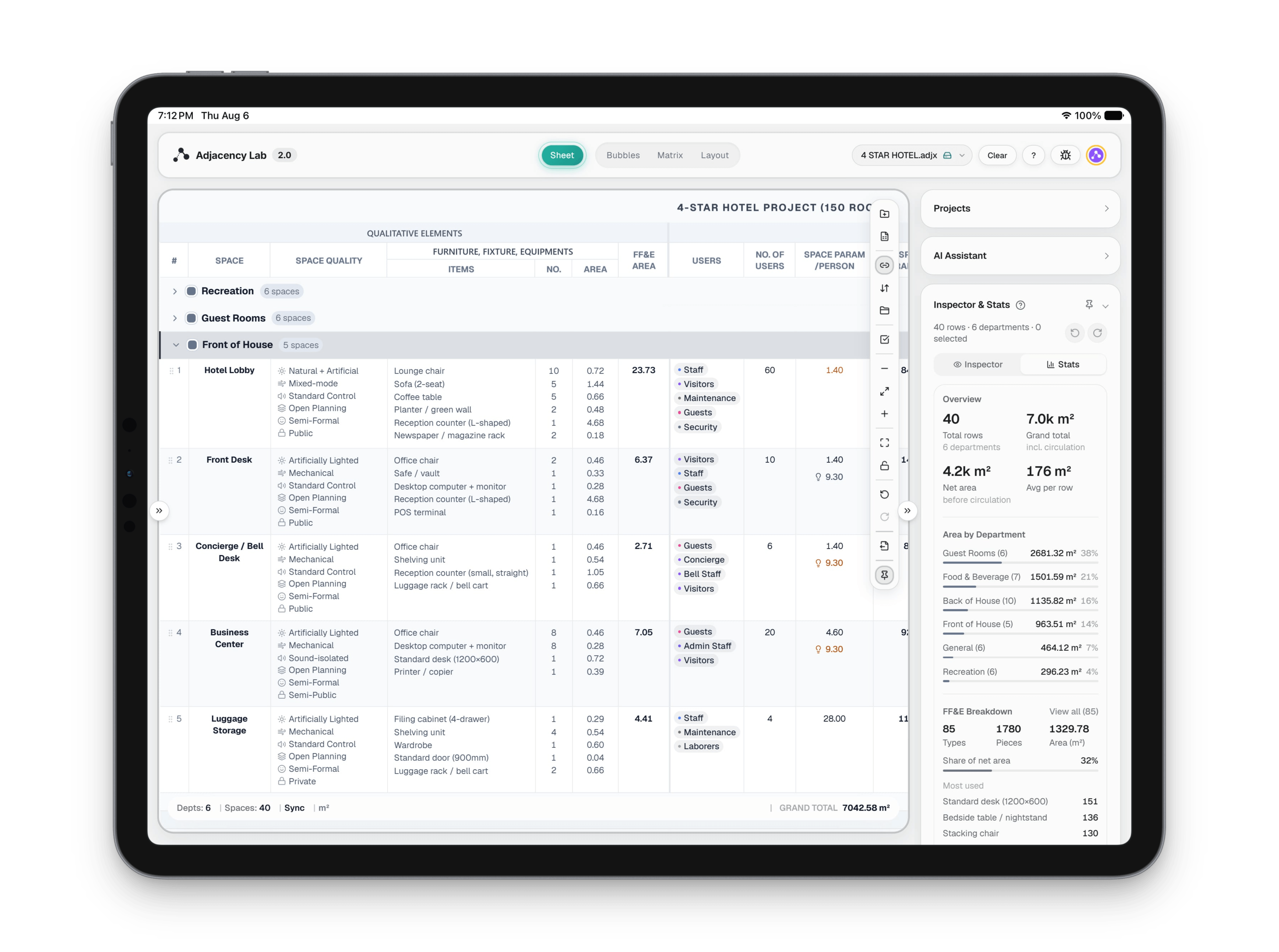
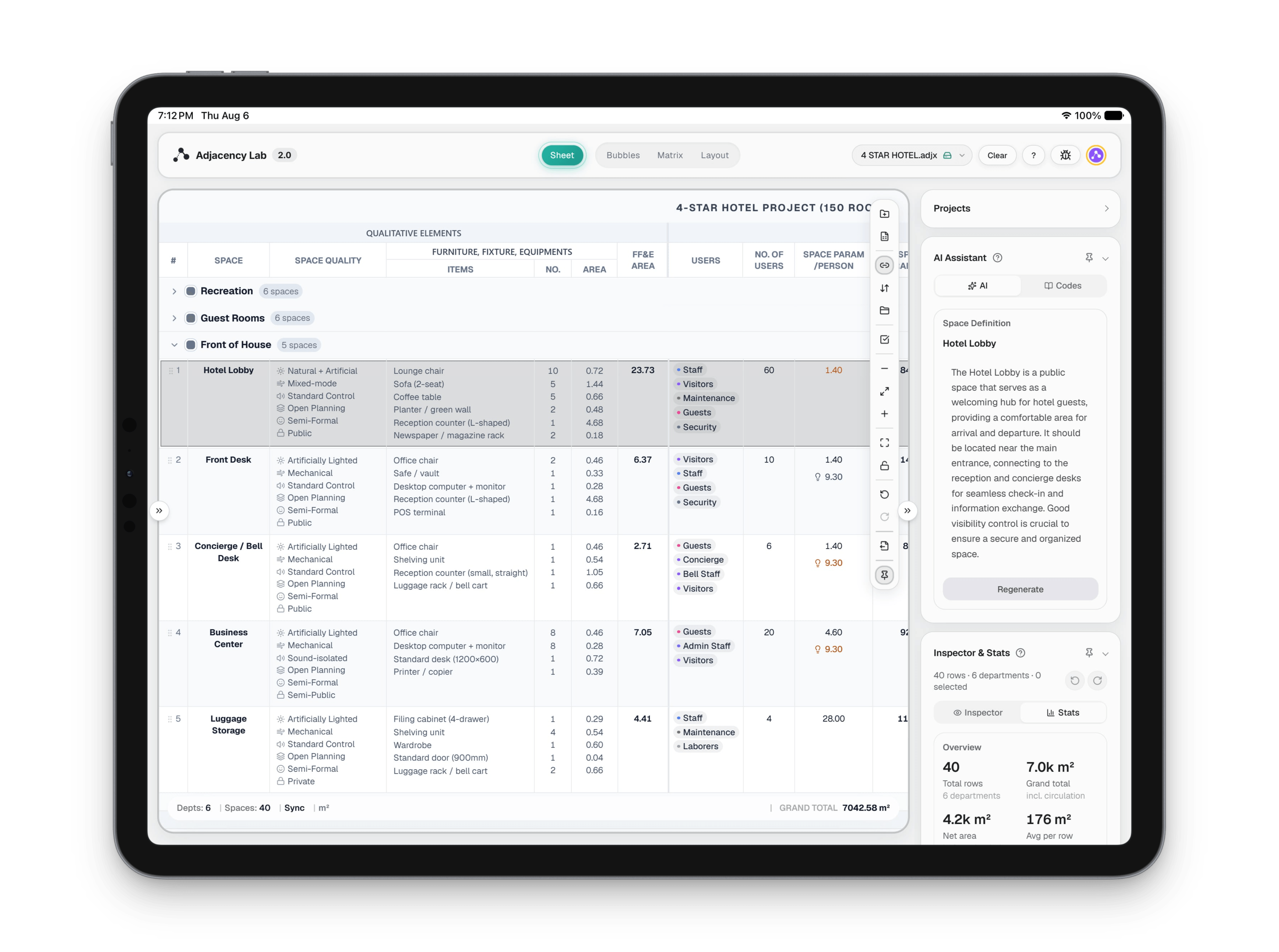
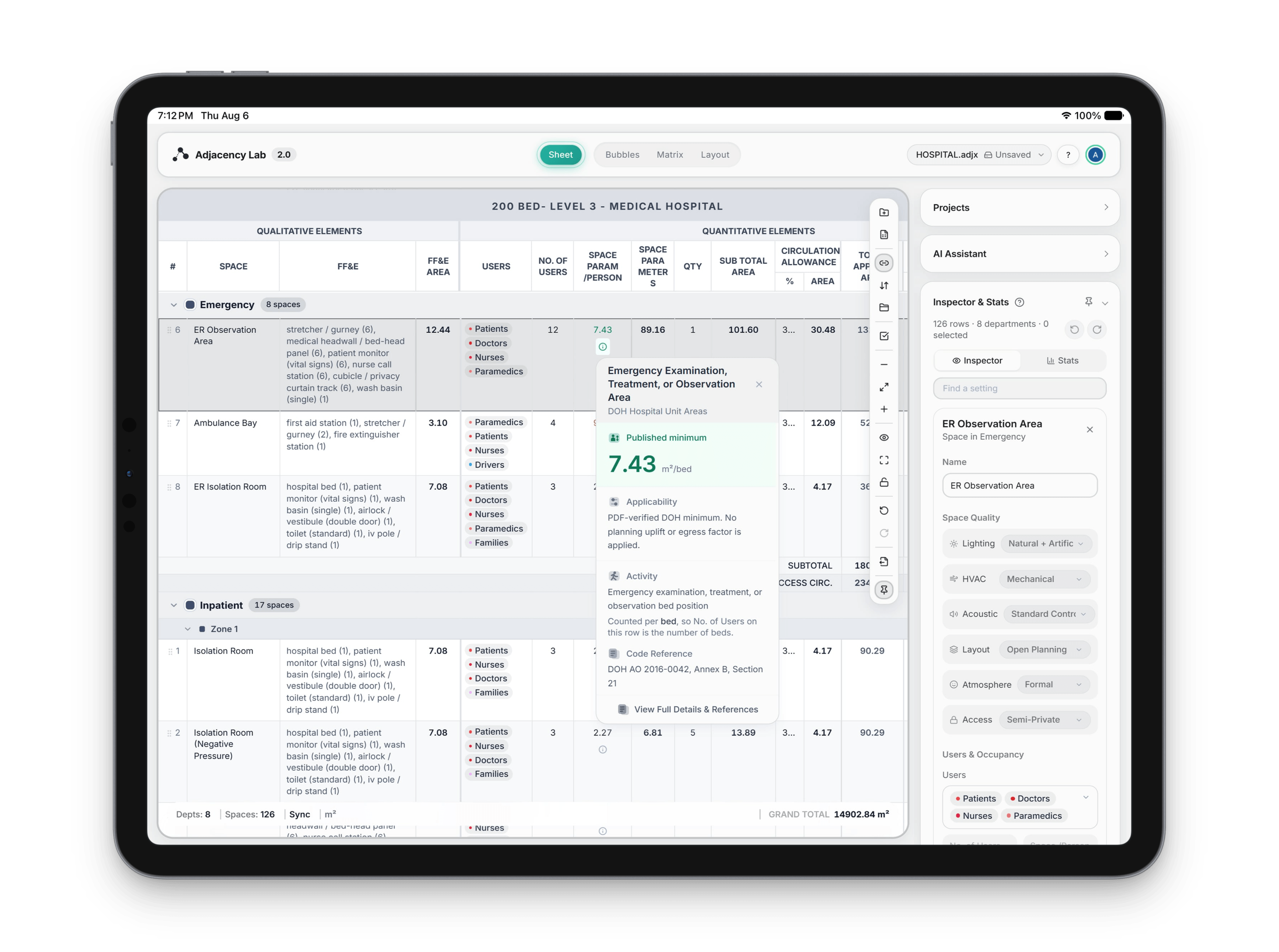
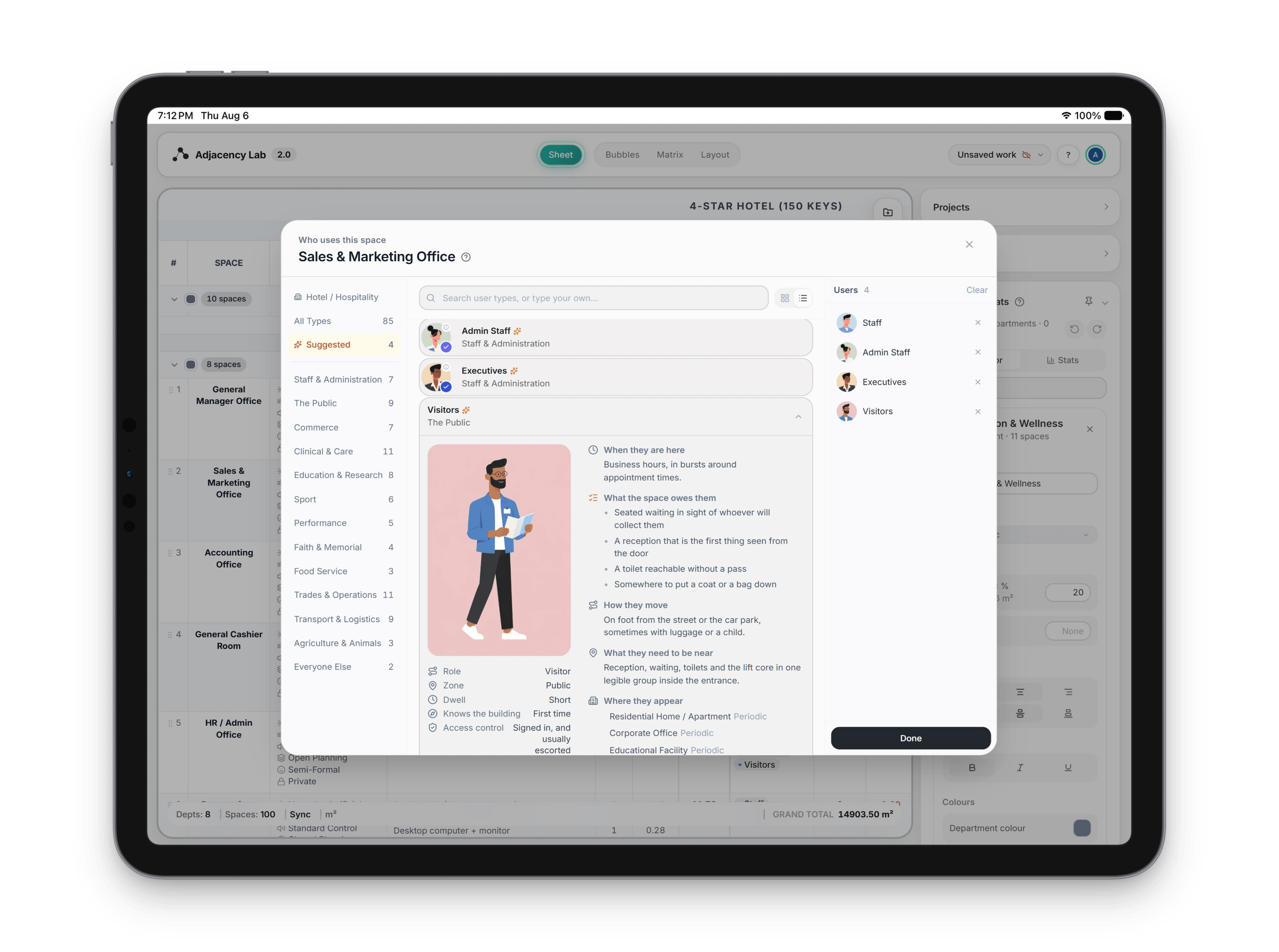
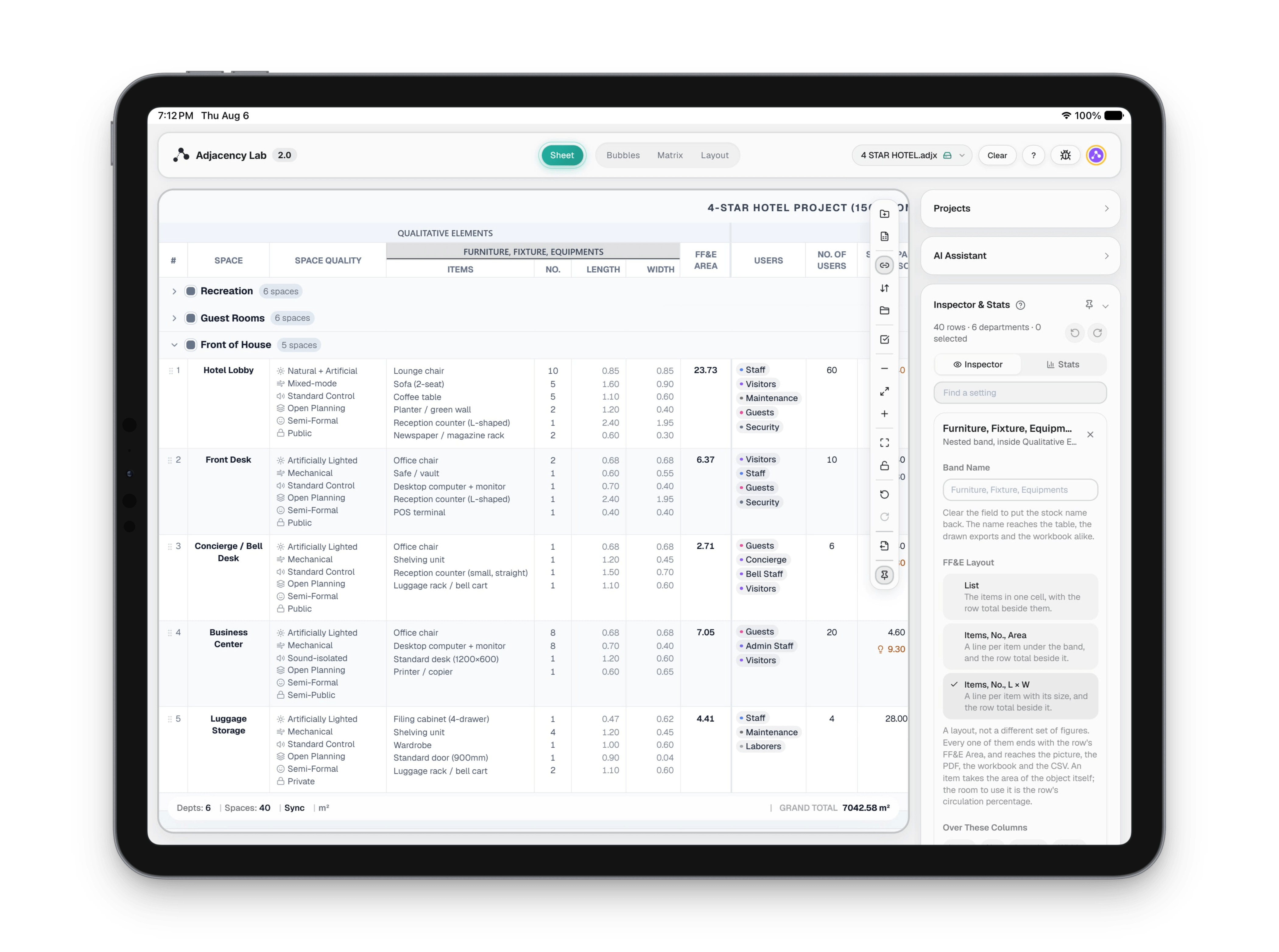
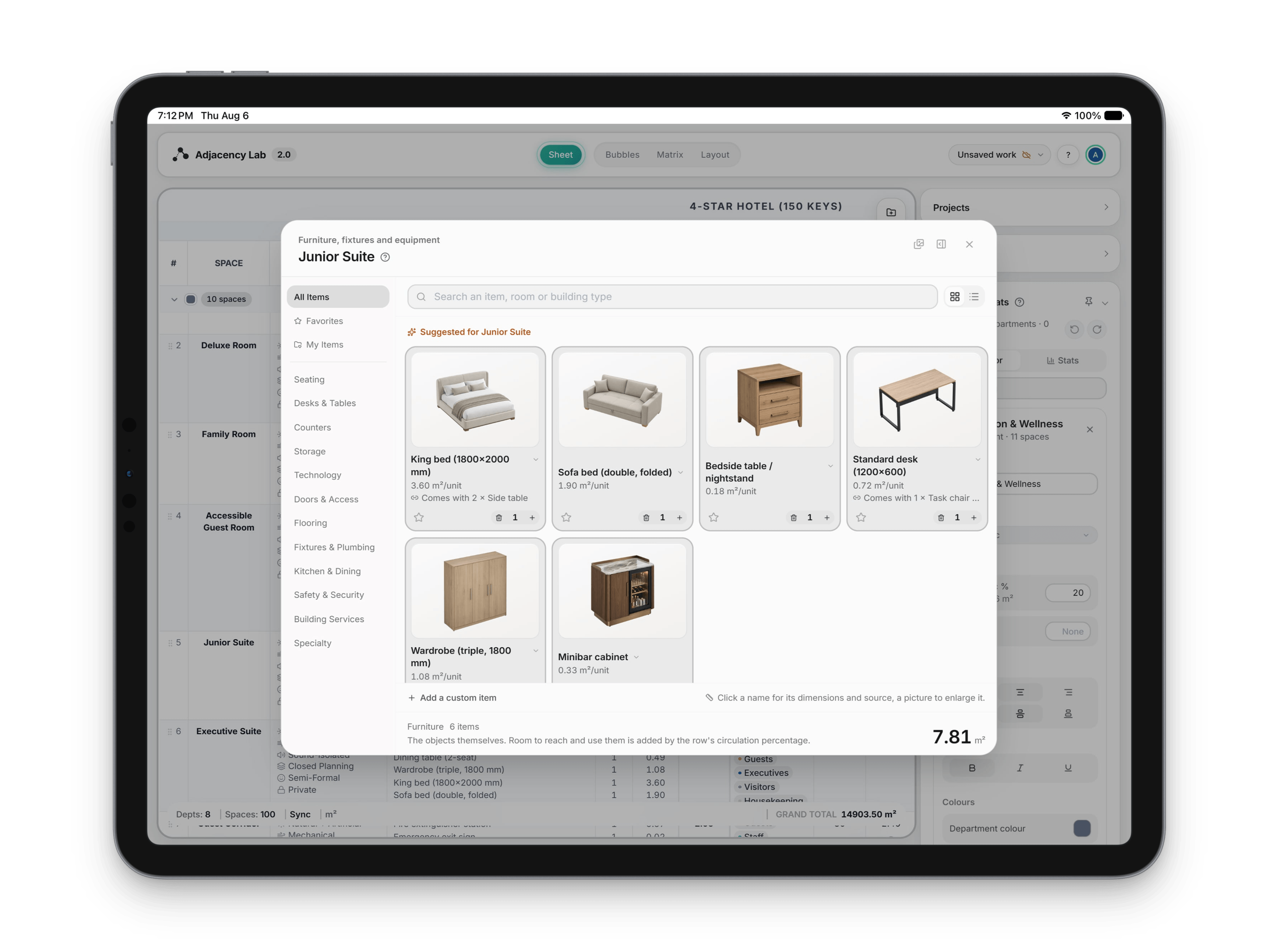
The Sheet canvas listing spaces by department with areas, circulation and totals
Adjacency Lab The Sheet: Your space program, as a spreadsheet.
The Sheet canvas listing spaces by department with areas, circulation and totals
Adjacency Lab The Sheet: Your space program, as a spreadsheet. (2 of 9)
The Sheet canvas listing spaces by department with areas, circulation and totals
Adjacency Lab The Sheet: Your space program, as a spreadsheet. (3 of 9)
The Sheet canvas listing spaces by department with areas, circulation and totals
Adjacency Lab The Sheet: Your space program, as a spreadsheet. (4 of 9)
The Sheet canvas listing spaces by department with areas, circulation and totals
Adjacency Lab The Sheet: Your space program, as a spreadsheet. (5 of 9)
The Sheet canvas listing spaces by department with areas, circulation and totals
Adjacency Lab The Sheet: Your space program, as a spreadsheet. (6 of 9)
The Sheet canvas listing spaces by department with areas, circulation and totals
Adjacency Lab The Sheet: Your space program, as a spreadsheet. (7 of 9)
The Sheet canvas listing spaces by department with areas, circulation and totals
Adjacency Lab The Sheet: Your space program, as a spreadsheet. (8 of 9)
The Sheet canvas listing spaces by department with areas, circulation and totals
Adjacency Lab The Sheet: Your space program, as a spreadsheet. (9 of 9)
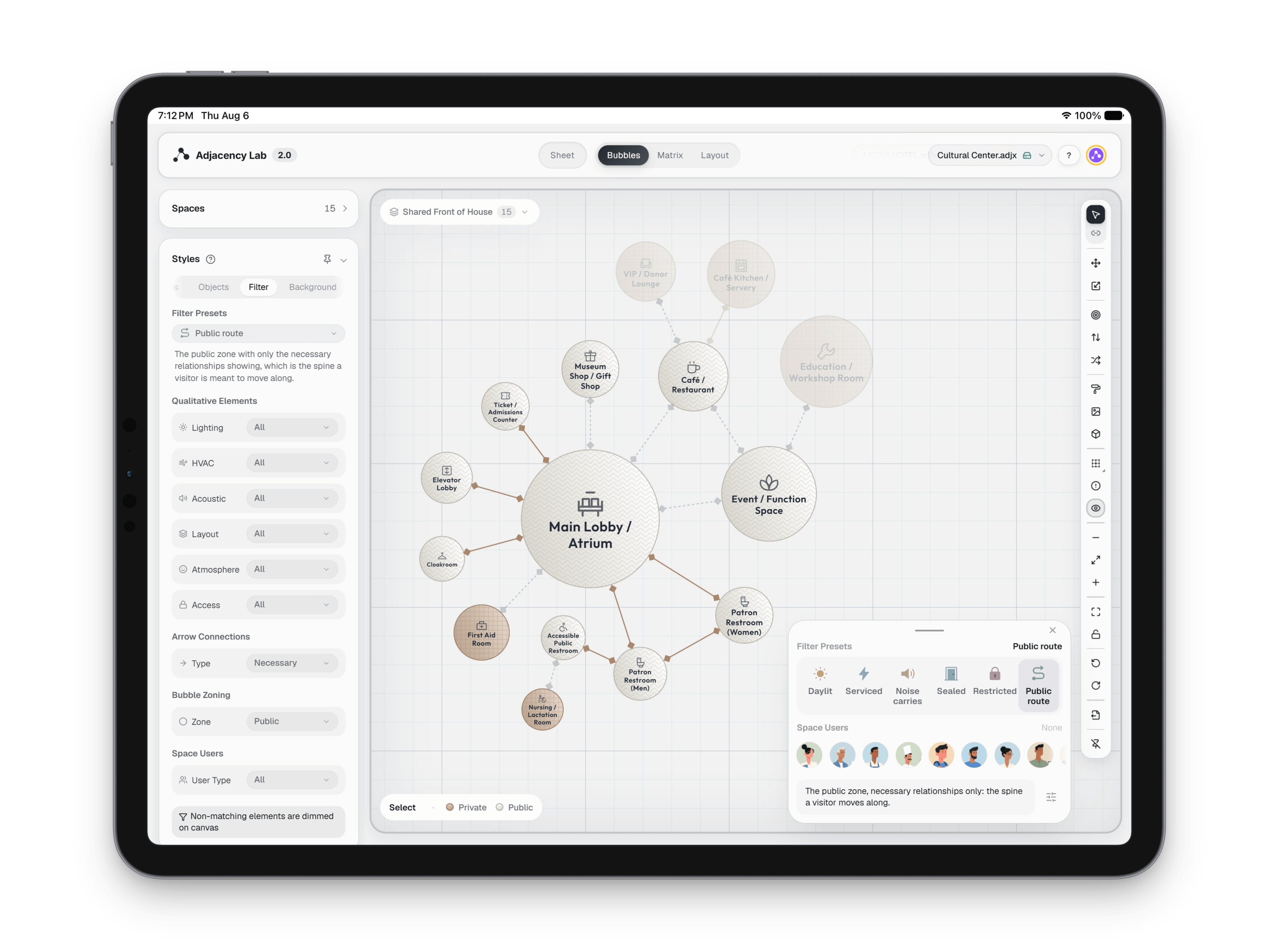
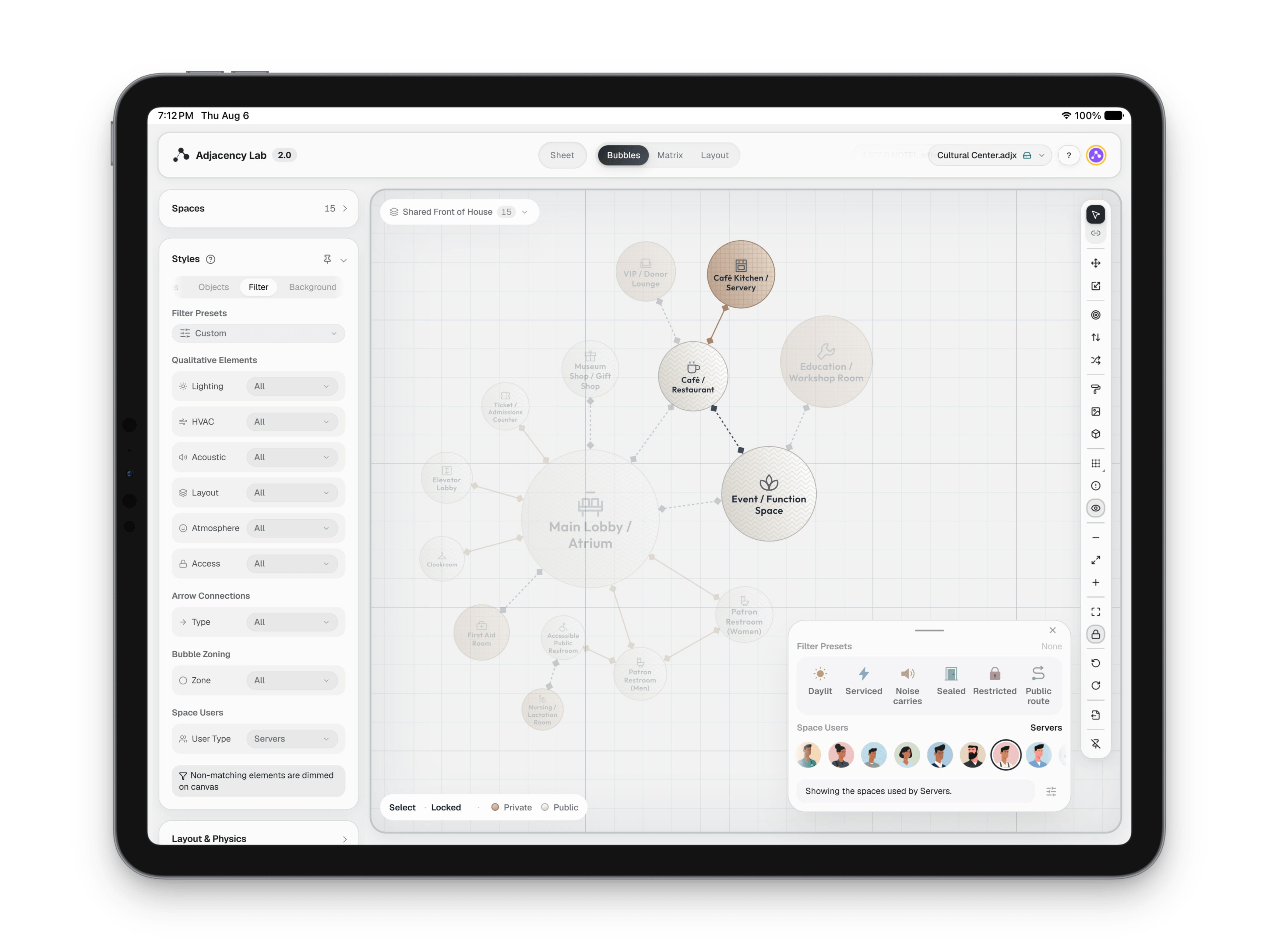
The spatial filter palette over a bubble diagram, with the spaces that match the applied preset at full strength and the rest faded back
Adjacency Lab filter: Narrow the diagram to one question at a time.
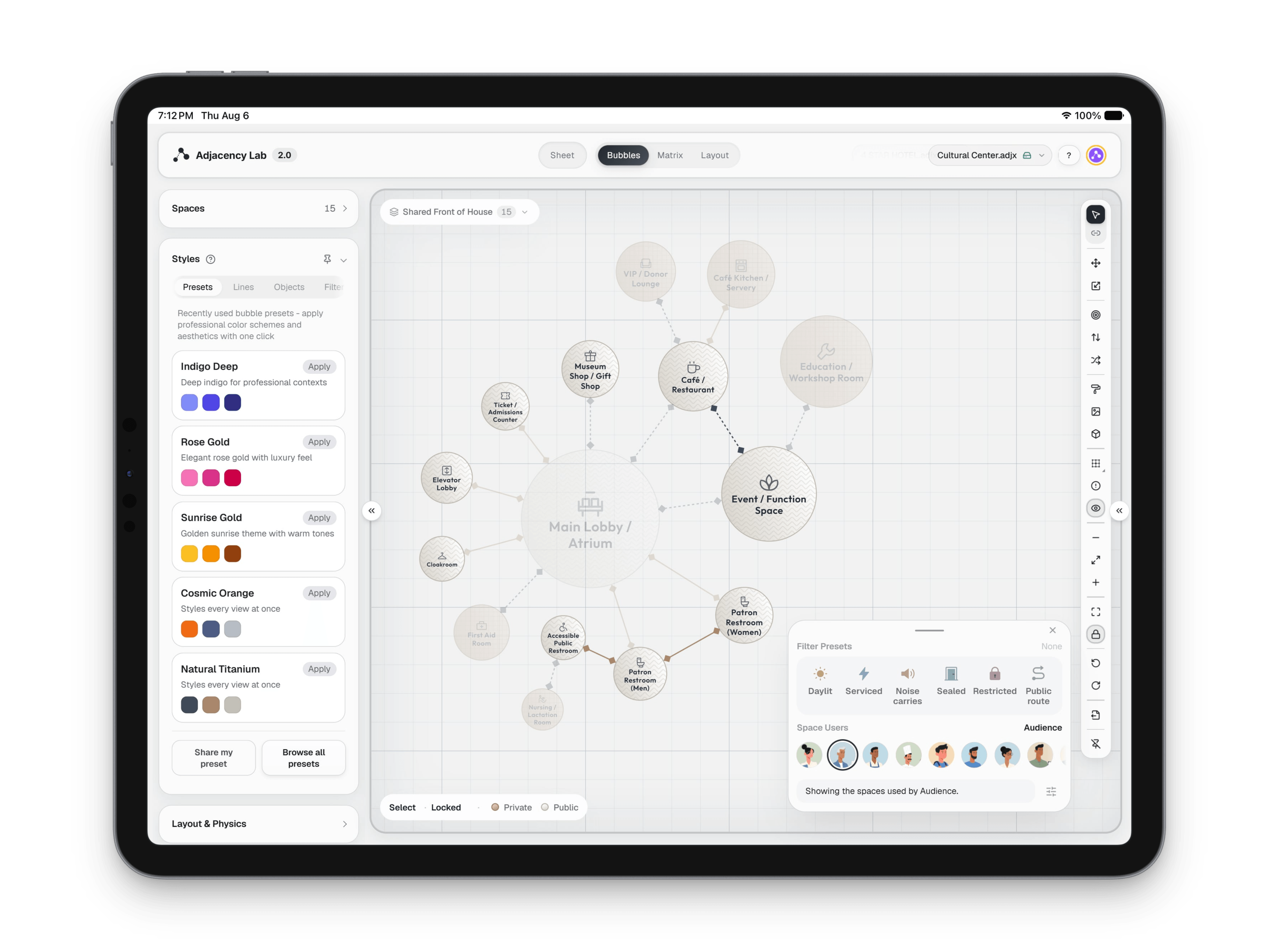
The spatial filter palette over a bubble diagram, with the spaces that match the applied preset at full strength and the rest faded back
Adjacency Lab filter: Narrow the diagram to one question at a time. (2 of 6)
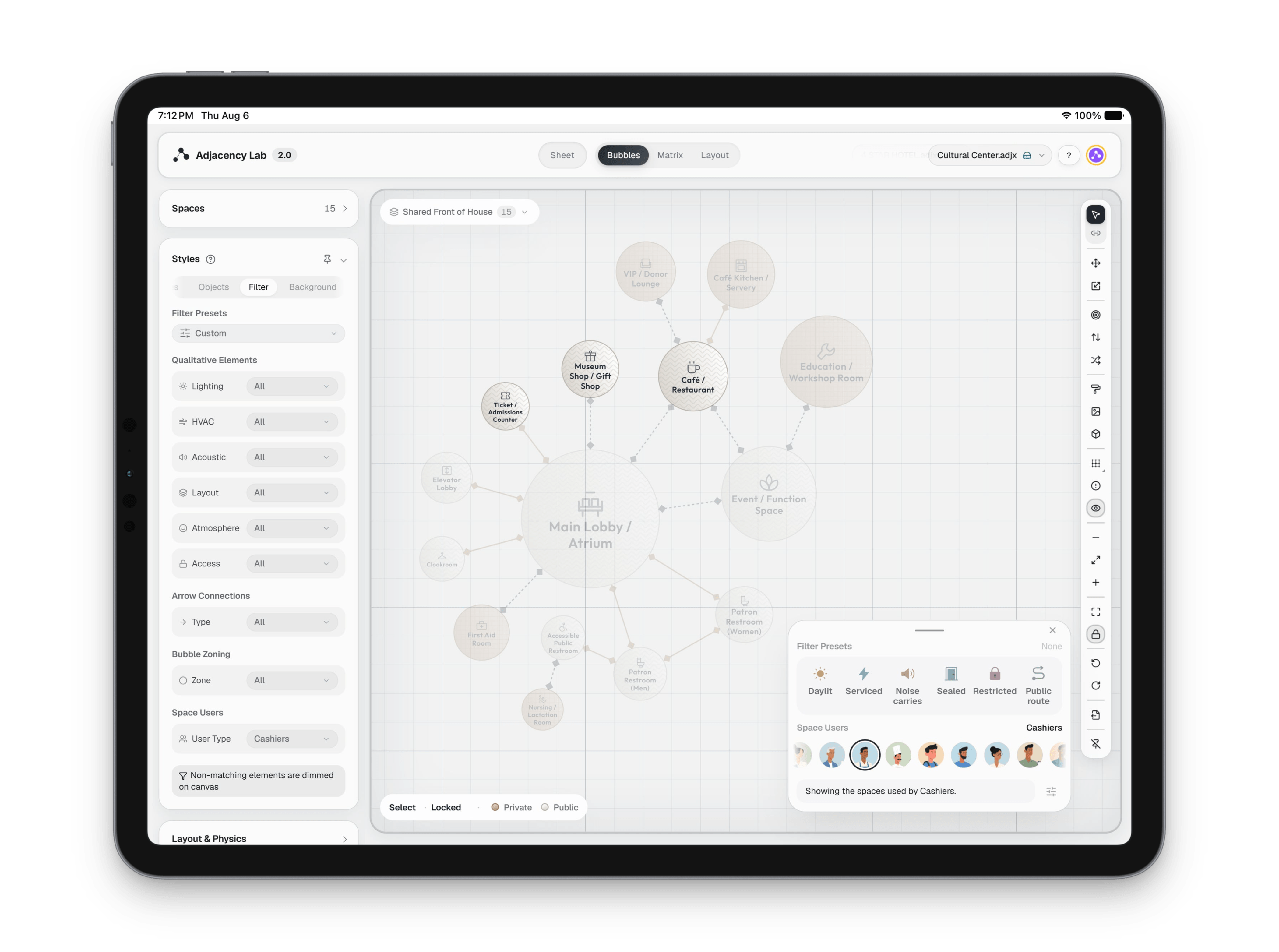
The spatial filter palette over a bubble diagram, with the spaces that match the applied preset at full strength and the rest faded back
Adjacency Lab filter: Narrow the diagram to one question at a time. (3 of 6)
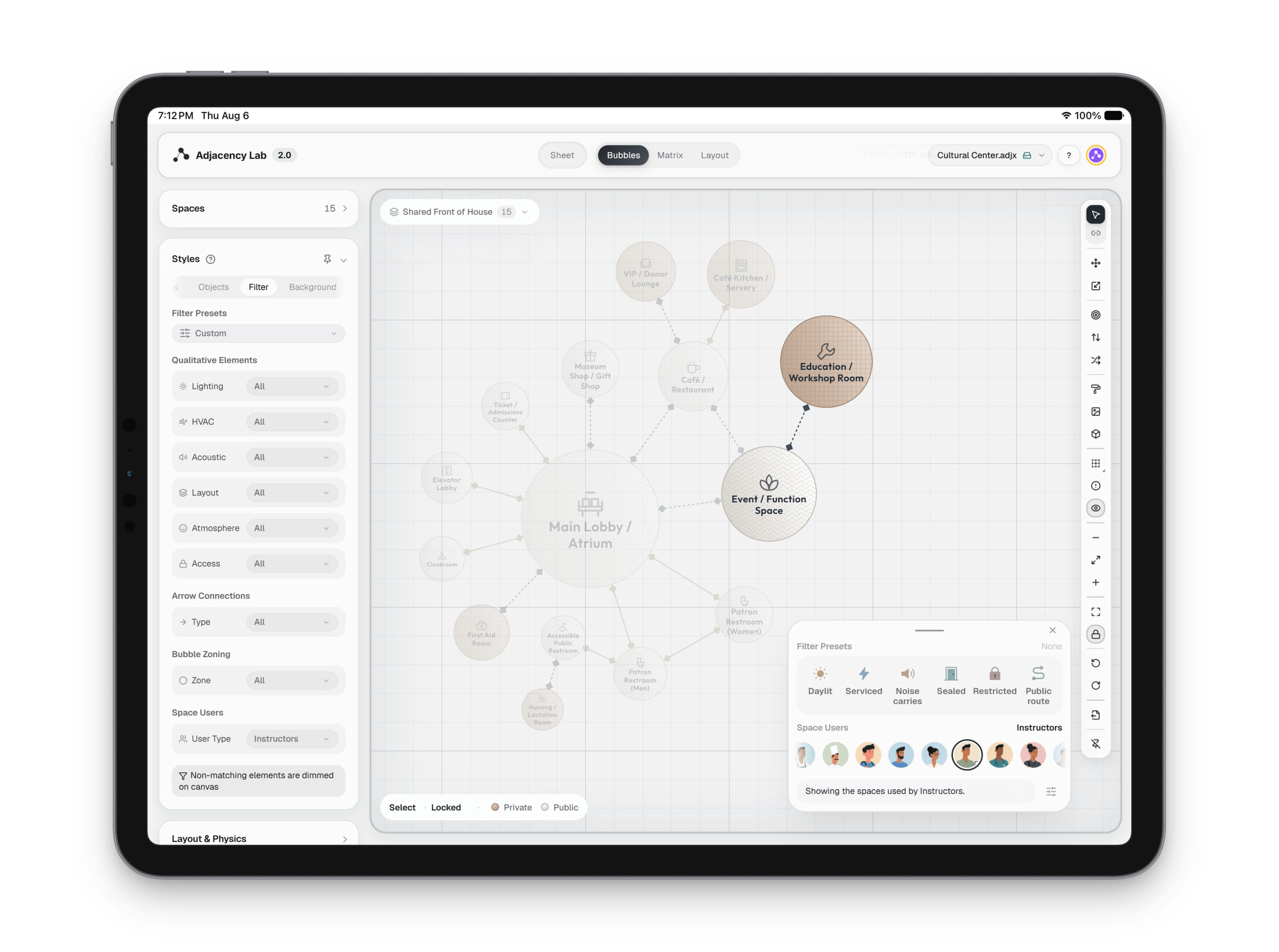
The spatial filter palette over a bubble diagram, with the spaces that match the applied preset at full strength and the rest faded back
Adjacency Lab filter: Narrow the diagram to one question at a time. (4 of 6)
The spatial filter palette over a bubble diagram, with the spaces that match the applied preset at full strength and the rest faded back
Adjacency Lab filter: Narrow the diagram to one question at a time. (5 of 6)
The spatial filter palette over a bubble diagram, with the spaces that match the applied preset at full strength and the rest faded back
Adjacency Lab filter: Narrow the diagram to one question at a time. (6 of 6)
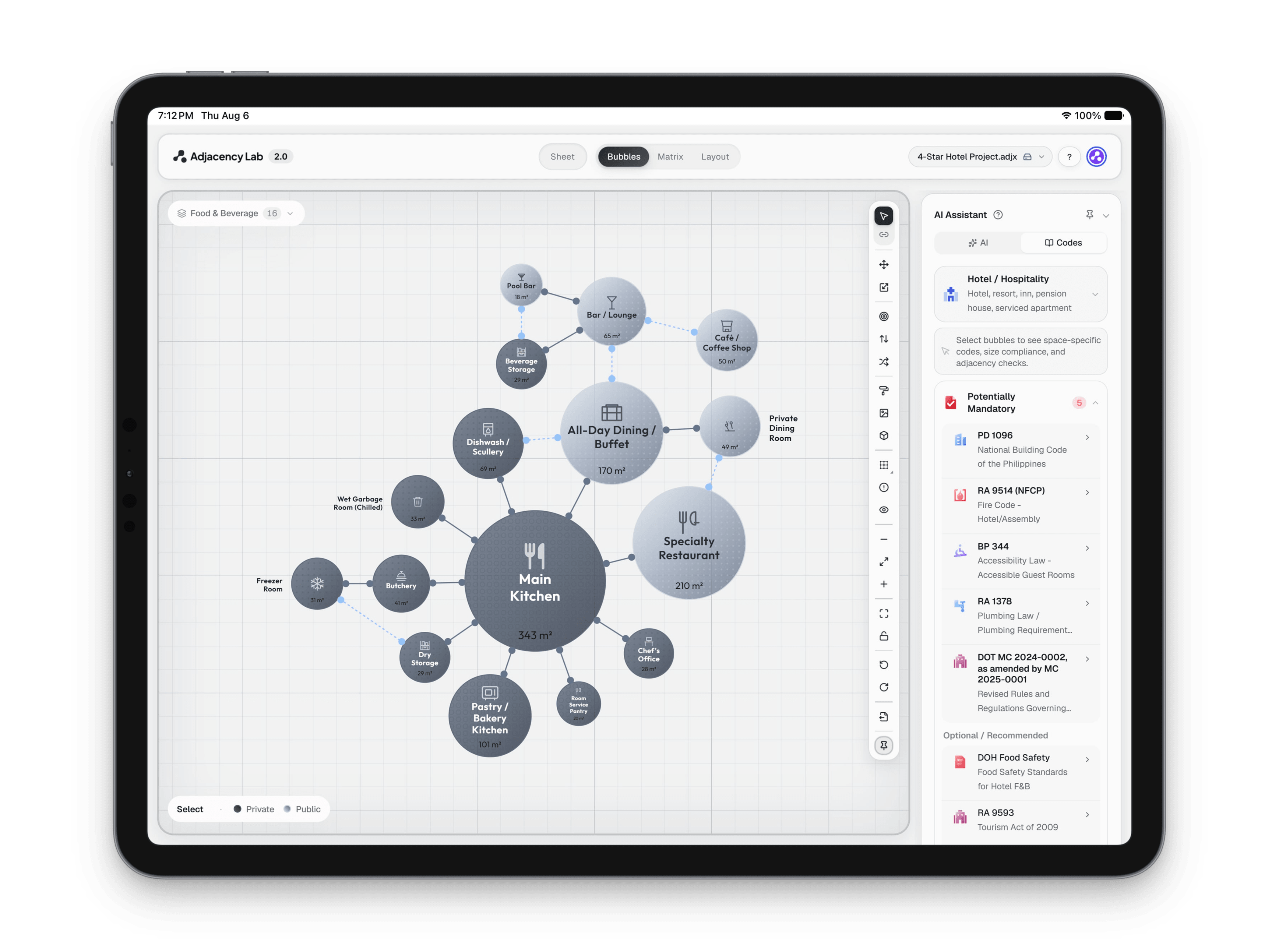
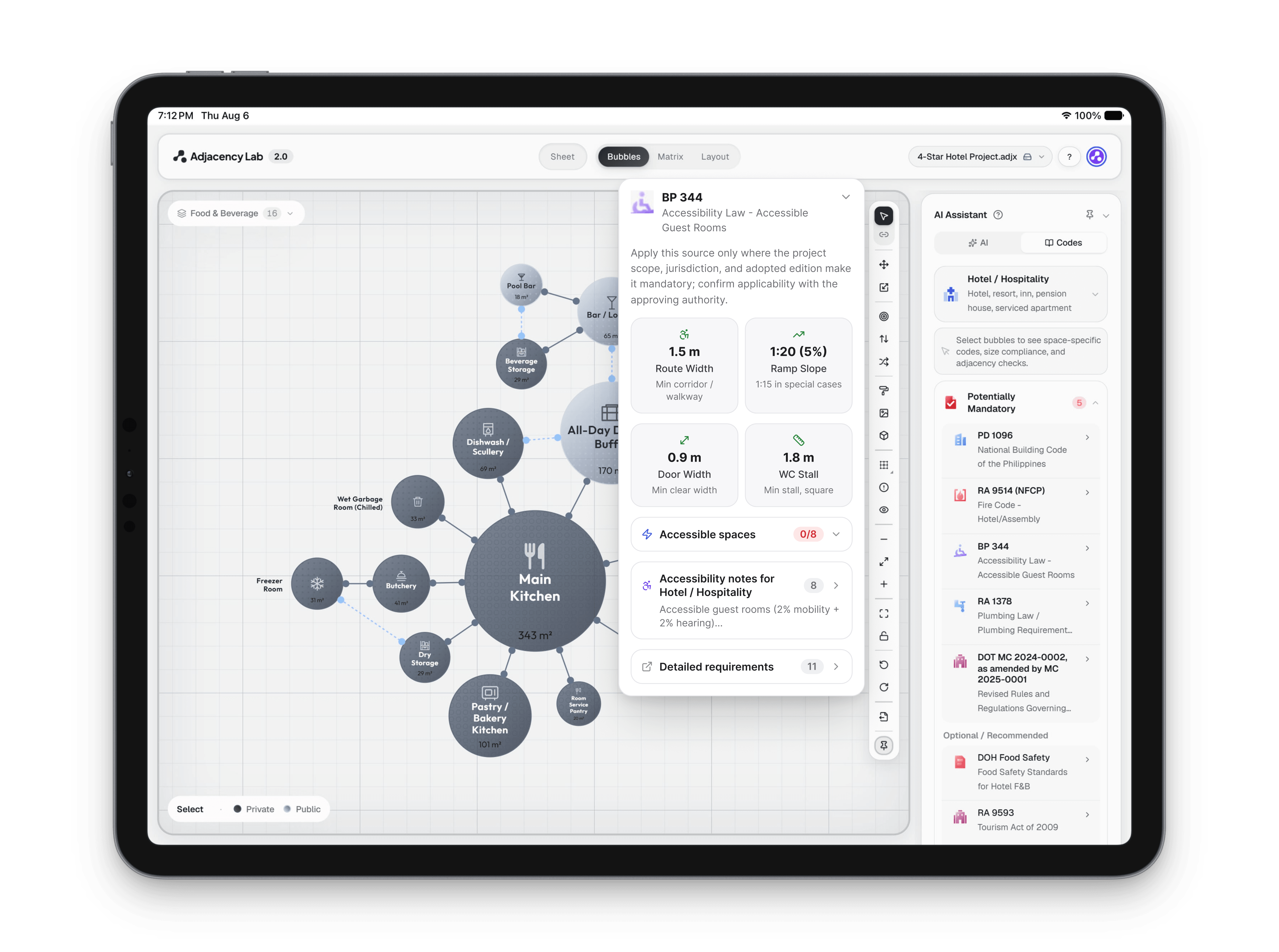
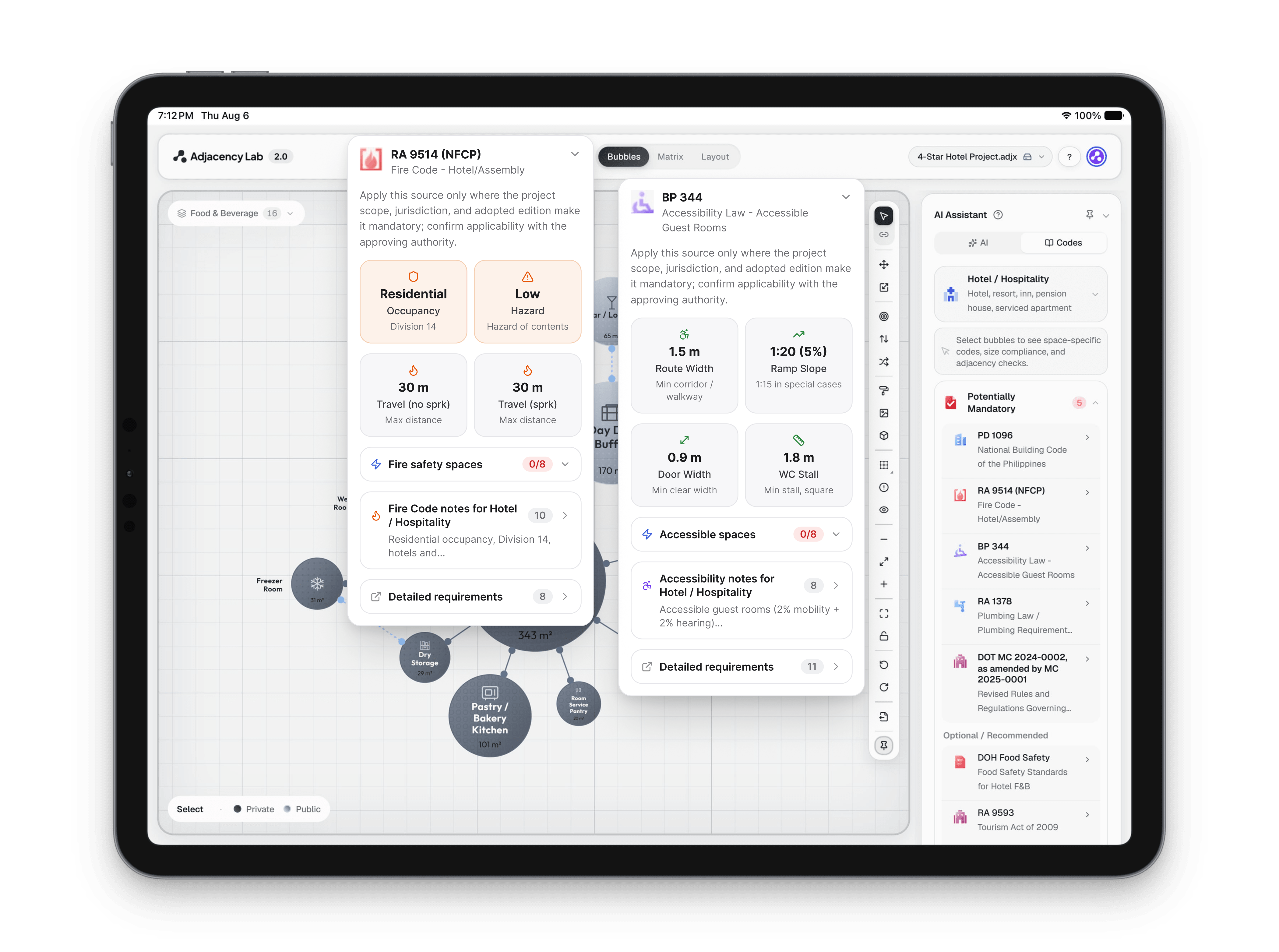
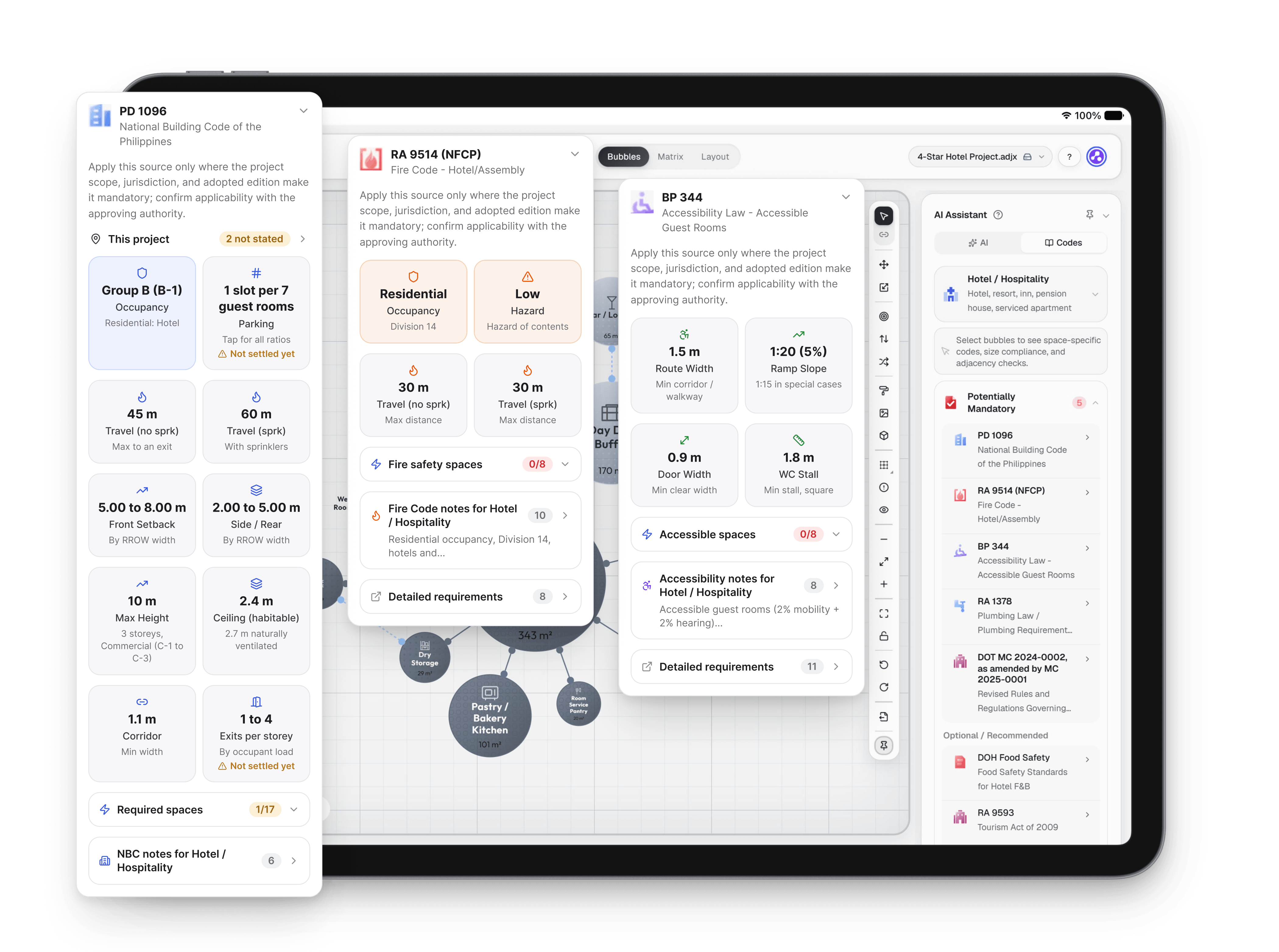
A hotel bubble diagram with the Codes tab open beside it. The BP 344, Fire Code and PD 1096 cards open in turn, showing figures such as route width, travel distance and parking, then a selected restaurant's drawn area is checked against its planning range
Adjacency Lab Codes tab: Your project's codes, beside the diagram.
A hotel bubble diagram with the Codes tab open beside it. The BP 344, Fire Code and PD 1096 cards open in turn, showing figures such as route width, travel distance and parking, then a selected restaurant's drawn area is checked against its planning range
Adjacency Lab Codes tab: Your project's codes, beside the diagram. (2 of 5)
A hotel bubble diagram with the Codes tab open beside it. The BP 344, Fire Code and PD 1096 cards open in turn, showing figures such as route width, travel distance and parking, then a selected restaurant's drawn area is checked against its planning range
Adjacency Lab Codes tab: Your project's codes, beside the diagram. (3 of 5)
A hotel bubble diagram with the Codes tab open beside it. The BP 344, Fire Code and PD 1096 cards open in turn, showing figures such as route width, travel distance and parking, then a selected restaurant's drawn area is checked against its planning range
Adjacency Lab Codes tab: Your project's codes, beside the diagram. (4 of 5)
A hotel bubble diagram with the Codes tab open beside it. The BP 344, Fire Code and PD 1096 cards open in turn, showing figures such as route width, travel distance and parking, then a selected restaurant's drawn area is checked against its planning range
Adjacency Lab Codes tab: Your project's codes, beside the diagram. (5 of 5)